We compared five firewall boxes on what matters in a real home: inspected throughput against common internet plans, ports, subscription costs, security track record, and what owners report after months of use. Here’s the headline: the best hardware firewall for most homes in 2026 costs about $300–$500, needs no subscription, and is managed entirely from a phone app. The days when this category meant a humming server closet and a weekend of configuration are over.
Here’s how we rank them, who each one is for, and — because this site doesn’t do scare tactics — an honest section on who shouldn’t buy any of them.
What a home firewall actually does for you
Your router already blocks strangers from connecting in — the baseline protection CISA’s guide to firewalls for home use describes. A dedicated firewall’s real value is watching what goes out and giving you control over it:
- Visibility: every device on your network, what it talks to, and how much. The first week is often eye-opening. A bargain smart plug chatting with servers overseas at 3 a.m. is exactly the kind of thing it surfaces.
- Blocking: ads, trackers, malicious sites, and whole categories (gambling, adult content) — per device, so the kids’ tablets have rules the adults’ laptops don’t.
- Segmentation: quarantine smart-home gadgets so a compromised camera can’t reach your laptop.
- Alerts: a notification when a new device joins or a device starts behaving oddly.
- A VPN server: connect home securely from anywhere, so your traffic on hotel WiFi routes through your own house.
Hardware firewall, firewall router or software firewall?
“Firewall” covers four different things, and it’s easy to pay for the wrong one:
| Type | What it protects | Examples | Do you need to buy it? |
|---|---|---|---|
| Software firewall | One computer | Windows Defender Firewall, the macOS firewall | No, it’s built in. Leave it on |
| Router firewall | The whole home, incoming traffic only | NAT and SPI in every home router | No, it’s built in. Check that it’s on |
| Firewall router | The whole home, in and out, plus WiFi | Ubiquiti UDR7, GL.iNet Flint 2 | Worth it when you’re replacing your router anyway |
| Firewall appliance | The whole home, in and out | Firewalla, FortiGate | Worth it when you want to keep your WiFi and add monitoring |
The last two rows are what people mean by a hardware firewall for home. A firewall appliance is a separate box that inspects everything going in and out while your current WiFi keeps doing its job. A firewall router does both jobs in one device: fewer boxes, but you replace the WiFi you have.
How a home firewall fits into your network
There are three common setups, simplest first:
- Behind your existing router, in bridge mode. The firewall sits in the cable between your router and the rest of the network and inspects traffic without changing any addresses, so nothing else needs reconfiguring. Firewalla supports this, and it’s how most families start. With a mesh system, the order you plug things in matters; our Firewalla bridge mode guide walks through it.
- As the main router. Modem, then the firewall, then your WiFi system switched to access-point mode. This gives the firewall full control (separate networks for smart devices, VPN server, per-device rules) and avoids two routers fighting over addresses. It takes more setup, and your WiFi system has to support access-point mode.
- A firewall router replaces your router. A box like the UDR7 handles routing, firewall and WiFi on its own; bigger homes add access points.
If your internet provider gave you a combined modem and router, put it in bridge or passthrough mode where it allows that. Otherwise you end up with “double NAT”: usually harmless for browsing, but it can upset game consoles, video calls and some VPNs.
What to look for in a home firewall
- Speed with security switched on. Makers often advertise plain routing speed; the number that matters is throughput with inspection enabled. Match it to your internet plan with headroom. FortiGate’s own datasheet shows the gap: 5 Gbps as a plain firewall, 600 Mbps with full threat protection.
- Ports. A 2.5 GbE port matters if your plan is faster than 1 Gbps, or will be in the next few years.
- Subscription. Firewalla, Ubiquiti and GL.iNet charge nothing after purchase. FortiGate’s security services need an annual license.
- Who will run it. A phone app a parent can use, or a web console that assumes networking knowledge.
- VPN speed. It varies more than you’d think: GL.iNet rates the Flint 2 at close to 900 Mbps over WireGuard, while Firewalla rates the Gold SE at 350 Mbps and the Purple SE at 220 Mbps.
- Update record. A security box that stops getting updates becomes a liability. Favor makers with a steady release history.
How we chose
We don’t run a test lab, and we don’t claim hands-on testing. The five boxes are compared on things you can check yourself: each maker’s spec sheet for inspected throughput, VPN speed and ports; whether the security features need a subscription; each company’s security track record and update history; and long-term owner reports on Reddit and the makers’ own forums, read for patterns rather than one-off complaints. Then we weighed what matters in a family home: whether a non-technical adult could find and change a parental-control rule without help, and what each box really costs over several years. The full method is on how we pick and score products. Prices below are manufacturer list prices, last checked October 10, 2026 — Firewalla raised its prices this year, and sale-season swings are common.
The rankings
1. Firewalla Gold SE — editors’ choice
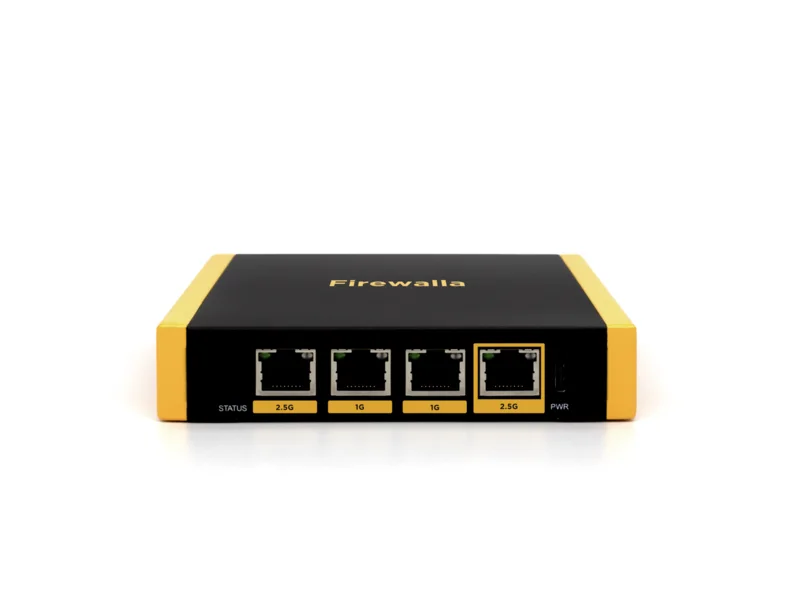
The Firewalla Gold SE is the box we point almost everyone to. Firewalla rates it at up to 2 Gbps with deep packet inspection enabled — meaning it handles a full gigabit plan without breaking a sweat — has two 2.5GbE ports, and requires no subscription, ever.
What sets it apart is the app. Every capability listed above — device visibility, per-person content rules, smart-home quarantine, VPN, alerts — is a series of taps a non-technical parent can genuinely manage. Long-term owner reports mostly describe the same thing: months of quiet running, with no mystery outages and no “why is the internet broken” complaints from the family. For this category that’s the highest praise there is.
Buy it if: your plan is up to 1 Gbps and you want the most security per dollar with the least fiddling. Skip it if: you have a multi-gig plan (see the Gold Pro) or a sub-$300 budget (see the Purple SE below).
2. Ubiquiti Dream Router 7 — best prosumer all-in-one
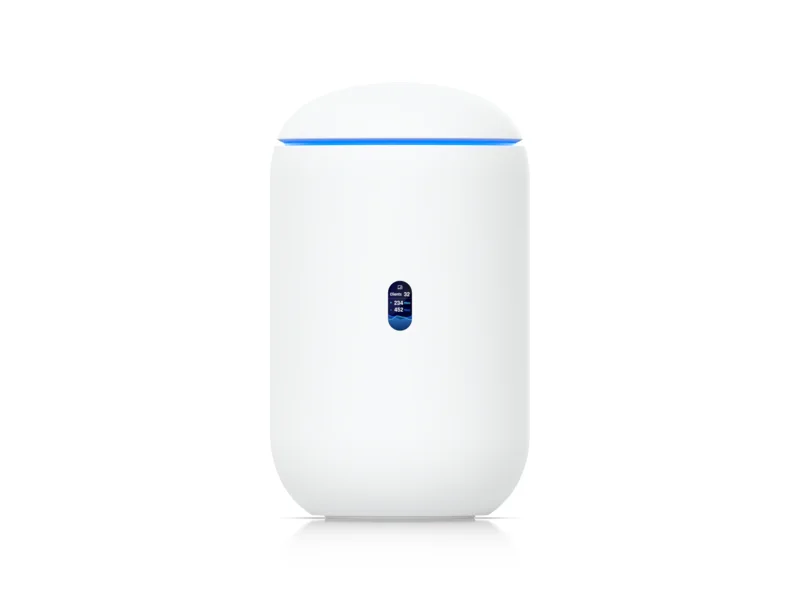
The Ubiquiti UDR7 is a different proposition: firewall, WiFi 7 router, small switch, and network controller in one handsome cylinder for around $279. If you’re replacing an aging router anyway, it’s astonishing value — you get Ubiquiti’s UniFi software, real traffic inspection and country/category blocking, easy network segmentation, and a 10G-capable port, with no subscription.
The trade-offs: its WiFi covers a modest apartment or small home, not a large house (though it extends with Ubiquiti access points), and its security features — while good and improving steadily — are less granular and less parent-friendly than Firewalla’s. UniFi’s interface is a gearhead’s delight; a casual user will use a tenth of it.
Buy it if: you need new WiFi and a firewall and enjoy a bit of tinkering. Skip it if: you’re keeping your current router — then a dedicated box makes more sense.
3. Firewalla Purple SE — best budget pick
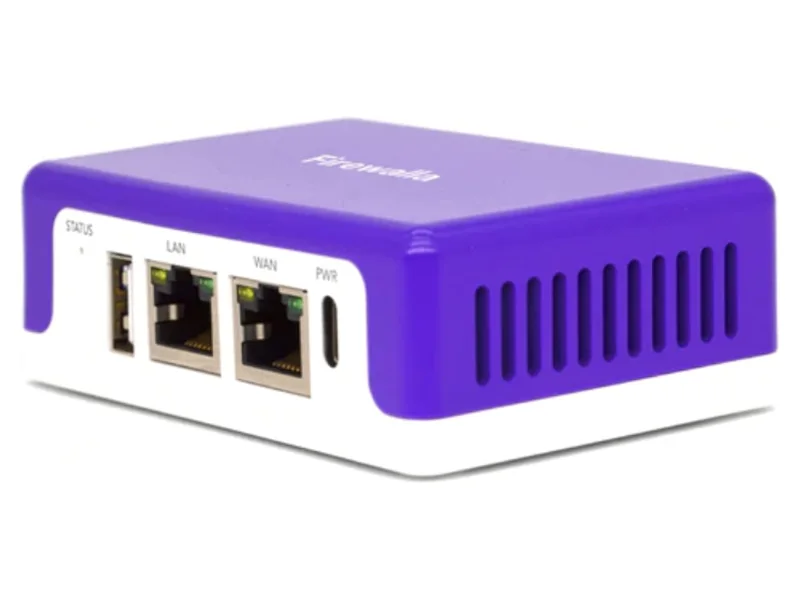
The Firewalla Purple SE runs the same excellent app and the same core features as the Gold SE at roughly half the price. The constraint is throughput: with full inspection enabled it’s comfortable on plans up to about 500 Mbps, and its gigabit (not 2.5G) ports set the ceiling.
For the enormous number of homes on 200–500 Mbps plans, that constraint is irrelevant, and this little box is the smartest sub-$300 security purchase available: same visibility, same parental controls, same smart-device quarantine, same no-subscription policy.
Buy it if: your plan is 500 Mbps or under. Skip it if: you’re on gigabit or plan to upgrade soon — buy the Gold SE once instead of the Purple SE twice.
4. GL.iNet Flint 2 — best VPN router with firewall features
The GL.iNet Flint 2 is technically a WiFi 6 router, but it earns its place here: for around $150 it delivers genuinely fast WireGuard VPN performance, ad blocking, and — because it runs OpenWrt underneath — practically unlimited configurability for the technically curious.
Be clear about what it isn’t: there’s no polished per-device security monitoring, no behavioral alerts, no parent-grade app. It’s a firewall in the traditional configure-it-yourself sense. But if your primary goals are routing the whole house through NordVPN or connecting home securely while traveling, nothing near this price does it better.
Buy it if: VPN is the mission and you’re comfortable in settings pages. Skip it if: you want visibility and monitoring — that’s Firewalla’s game.
5. FortiGate 40F — the small-business option
The FortiGate 40F is what enterprises deploy at branch offices, and its inspection capabilities are genuinely a tier above everything else here. So why fifth? Because for a home, it’s the wrong tool: the security services require an annual license (making its real cost the highest here over time), the management console assumes professional training, and features families actually use daily — friendly parental controls, phone alerts — are clumsy by comparison.
Buy it if: you run a business from home, your cyber-insurance or a client requires enterprise-grade gear, or an IT provider manages it for you — our small-business guide covers that scenario. Skip it if: you’re a household. Truly.
Home firewall comparison: specs side by side
All figures are the makers’ own ratings; prices are list prices.
| Firewall | Type | List price | Speed with security on | Ports | WiFi | Subscription |
|---|---|---|---|---|---|---|
| Firewalla Gold SE | Appliance | $519 | ~2 Gbps | 2× 2.5 GbE, 2× 1 GbE | No | None |
| Ubiquiti UDR7 | Router + WiFi | $279 | 2.3 Gbps (IDS/IPS) | 10G SFP+, 4× 2.5 GbE | WiFi 7 | None |
| Firewalla Purple SE | Appliance | $289 | ~500 Mbps | 2× 1 GbE | No | None |
| GL.iNet Flint 2 | VPN router | $160 | No IDS; ~900 Mbps WireGuard | 2× 2.5 GbE, 4× 1 GbE | WiFi 6 | None |
| FortiGate 40F | Business appliance | $650 | 600 Mbps (threat protection) | 5× 1 GbE | No | Annual license |
Decision table: match the box to your plan and patience
| Your internet plan | Comfort with tech | Our pick | Why |
|---|---|---|---|
| Up to 500 Mbps | “Just make it work” | Firewalla Purple SE | Full app experience, right-sized throughput |
| Up to 1 Gbps | “Just make it work” | Firewalla Gold SE | Headroom + best app, no subscription |
| Up to 1 Gbps | Enjoys tinkering, needs WiFi too | Ubiquiti UDR7 | Firewall + WiFi 7 in one box |
| Any speed | VPN power user | GL.iNet Flint 2 | Best VPN routing per dollar |
| Multi-gig (2 Gbps+) | Any | Firewalla Gold Pro | 10 Gbps capable — see our SE vs. Pro comparison |
| Business line | Has IT support | FortiGate 40F | Enterprise inspection, license required |
Who should NOT buy a hardware firewall
An honest reviews site owes you this section. Skip the purchase entirely if:
- You haven’t done the basics yet. A password manager, two-factor authentication, and software updates prevent far more real-world harm than any firewall. If those aren’t done, spend this money on a 1Password Families subscription and Bitdefender Total Security first — our weekend family security guide is the better starting point.
- Your household is one or two laptops and phones. With few devices and no smart-home sprawl, the built-in router firewall plus good device hygiene covers you. A firewall’s value scales with device count.
- Nobody will look at it. A firewall you never open is a router with extra steps. If checking an app monthly sounds like a chore you’ll abandon, you will get most of the practical benefit from a well-updated mesh system with family controls instead — see our router reviews.
- Your real worry is phishing and scams. No firewall stops a family member from typing a password into a fake site or believing a scam call. That’s training and 2FA territory, not hardware.
Came here for a CUJO, Akita, RATtrap, Dojo or Bitdefender BOX? That generation of plug-in “smart firewall” boxes is discontinued — several are bricks. What happened to them, and the 2026 replacements.
The bottom line
For most homes in 2026 the best home firewall is the Firewalla Gold SE: 2 Gbps of inspected throughput, every feature a family actually uses in an app a non-technical person can run, and no subscription diluting the value year after year. Pick the Purple SE if your plan is under 500 Mbps, the UDR7 if you need WiFi in the same box — but if you just want the one right answer, it’s the Gold SE.