For most homes over 3,000 square feet, the TP-Link Deco BE63 is the best overall balance of coverage, multi-gigabit ports, and mid-range cost. Choose eero Pro 7 if easy administration matters most, ASUS ZenWiFi BT8 if you want security and parental controls without a subscription, Orbi 770 for a premium wireless mesh, and Orbi 970 only for a very large or difficult home where the strongest wireless backhaul matters more than cost. This best mesh WiFi for large home 2026 guide has six systems compared from official specifications, update policies, and independent reviews. If Ethernet reaches your mesh locations, use it. Wired backhaul is the least glamorous upgrade here and often the most useful.
The best mesh systems for large homes
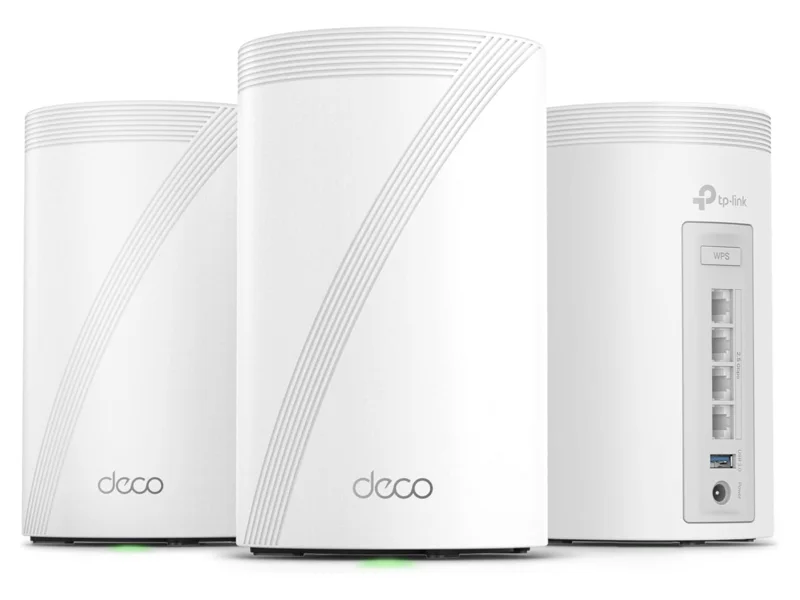
Best overall: TP-Link Deco BE63. Each identical unit has four 2.5 GbE ports, so a wired node can still feed a desktop, TV, or switch. The two-pack has a claimed 5,800 square feet of coverage, and the system supports Wi-Fi 7, 320 MHz channels, Multi-Link Operation, a separate IoT network, and device isolation. HomeShield has a basic tier, while its more capable security and family controls require a subscription. It is the sensible value choice for a large home with gigabit or multi-gigabit service.
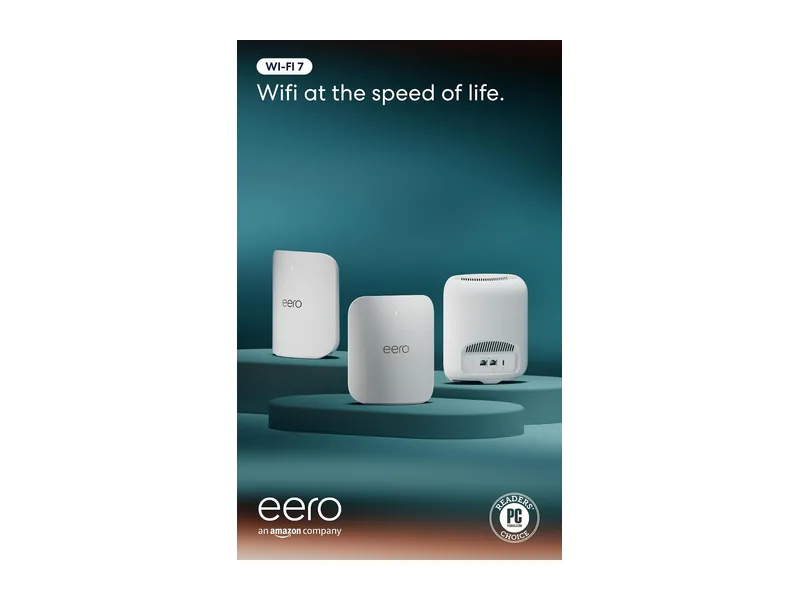
Best for simple management: eero Pro 7. It has two 5 GbE ports per unit, automatic updates, and an app that keeps routine choices out of sight. That simplicity also means fewer manual controls. Advanced threat blocking, content filters, app blocking, and historical usage are part of eero Plus. The Pro 7 is the eero to buy for most large homes; Max 7 makes sense when you need 10 GbE ports, a stronger 4x4 radio layout on 5 and 6 GHz, or more wired connections.
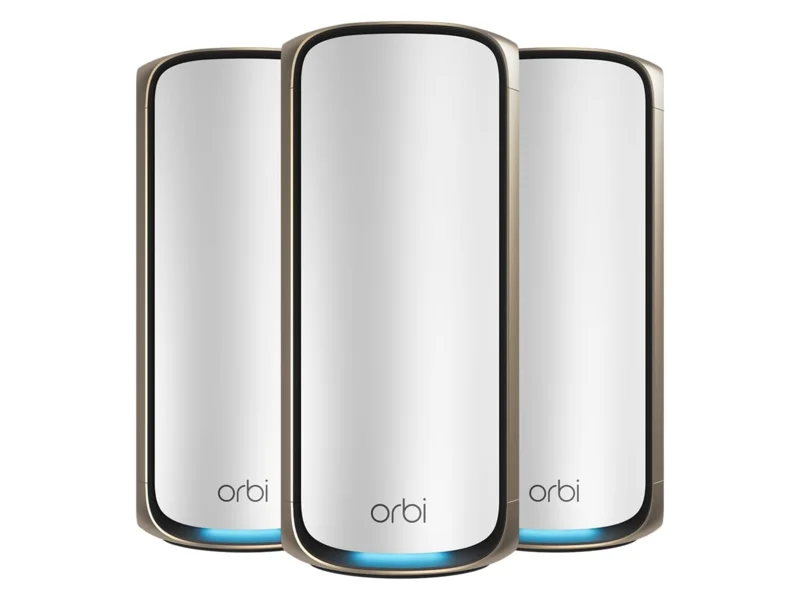
Best for a huge home without Ethernet: NETGEAR Orbi 970. Its fourth radio is a dedicated 5 GHz backhaul, and the router and satellites include 10 GbE ports. A three-pack carries a claimed coverage figure of 10,000 square feet. This is an upper-premium answer to stone walls, long wings, busy households, and fast local storage. For a typical 3,000 to 5,000 square foot home, it is more hardware than most people need.
Best subscription-free feature set: ASUS ZenWiFi BT8. ASUS includes AiProtection Pro, family profiles, content filters, time schedules, VPN tools, and separate smart-home networks without a recurring fee. Its two-pack claim is 5,900 square feet. The compromise is wired connectivity: each unit has only one 2.5 GbE WAN port and one 2.5 GbE LAN port, plus two gigabit LAN ports.
Official specifications compared
These are manufacturer claims, not measurements from CyberSec24. Coverage is especially optimistic because wall material, floor construction, interference, and node placement change the result. The figures and port layouts below come from the official eero product comparison, Orbi 770 specifications, Orbi 970 specifications, Deco BE63 specifications, and ZenWiFi BT8 specifications, checked in October 2026.
| System | Wi-Fi class and radios | Claimed coverage | Ethernet on each unit | Wireless backhaul design | Paid feature layer |
|---|---|---|---|---|---|
| eero Pro 7 | BE10800, tri-band, 2.4/5/6 GHz | Up to 2,500 sq. ft. per unit on eero’s comparison page | 2 x 5 GbE, auto-sensing | Shared tri-band, with MLO | eero Plus for advanced security and family filters |
| eero Max 7 | Tri-band Wi-Fi 7, 2x4x4 radio layout | Up to 2,500 sq. ft. per unit | 2 x 10 GbE, 2 x 2.5 GbE | Shared tri-band, with MLO | eero Plus for advanced security and family filters |
| Orbi 770 RBE773 | BE11000, tri-band, 2.4/5/6 GHz | Up to 8,000 sq. ft. for three units | Router: 1 x 2.5 GbE WAN and 3 x 2.5 GbE LAN; satellite: 2 x 2.5 GbE | Enhanced backhaul over three radios, no separate fourth radio | Armor and premium parental controls |
| Orbi 970 RBE973S | BE27000, quad-band, 2.4/5/5/6 GHz | Up to 10,000 sq. ft. for three units | Router: 10 GbE WAN, 10 GbE LAN, 4 x 2.5 GbE; satellite: 10 GbE LAN, 2 x 2.5 GbE | Dedicated 5 GHz backhaul radio | Armor and premium parental controls |
| TP-Link Deco BE63 | BE10000, tri-band, 2.4/5/6 GHz | Up to 5,800 sq. ft. for two units | 4 x 2.5 GbE, auto-sensing, per unit | Shared tri-band, MLO, optional wired and wireless combined backhaul | Basic HomeShield included; advanced plans paid |
| ASUS ZenWiFi BT8 | BE14000, tri-band, 2.4/5/6 GHz | Up to 5,900 sq. ft. for two units | 1 x 2.5 GbE WAN, 1 x 2.5 GbE LAN, 2 x 1 GbE | Shared tri-band, Smart AiMesh and MLO | AiProtection Pro and parental controls included |
The Wi-Fi class is the sum of theoretical radio link rates. It is not the speed one phone will receive, and it is not a promise about internet throughput. The number of spatial streams, client radio, channel width, Ethernet port, backhaul, and ISP plan all impose their own limits. TP-Link explicitly notes that Wi-Fi 7 features require compatible clients. NETGEAR and eero make similar practical distinctions in their specifications.
One oddity deserves a footnote. Eero’s Pro 7 support material has shown both 2,000 and 2,500 square feet per unit in different places. The table uses its current comparison page. Plan conservatively rather than buying around the extra 500 square feet.
Which model fits your house
For 3,000 to 4,500 square feet with Ethernet, start with a two-pack of Deco BE63, eero Pro 7, or ZenWiFi BT8. Wired backhaul removes the floor or wall between nodes from the relay path. Deco offers the most 2.5 GbE ports. Eero is easiest to administer. ASUS supplies the broadest included security and family-control toolset.
For 3,000 to 5,000 square feet without Ethernet, eero Pro 7 and Orbi 770 are the practical choices. The Orbi 770 three-pack claims 8,000 square feet and gives every satellite two 2.5 GbE ports for nearby wired devices. Independent reviews from RTINGS and Tom’s Guide found the Pro 7 and Orbi 770 capable performers, though test homes and methods differ. Treat those results as supporting evidence, not a guarantee for your floor plan.
For a sprawling home, an outbuilding, or dense masonry, first get an Ethernet quote. If cable is impractical, Orbi 970 has the clearest specification advantage because its backhaul gets a separate 5 GHz radio. Its 10 GbE interfaces also suit a multi-gigabit fiber plan or a fast NAS. Buy Orbi 970 for a known requirement, not because BE27000 has the largest number on the carton.
For a multi-gigabit wired network, eero Max 7 is the flexible premium choice. Four Ethernet ports per unit include two at 10 GbE, while Pro 7 has only two ports total. Orbi 970 supplies more ports and a separate wireless backhaul at a much higher tier. Deco BE63 tops out at 2.5 GbE, which is plenty for many current home plans but caps any faster path through a node.
If your home is closer to 2,000 square feet, read mesh WiFi versus a single router before paying for several nodes. A well-placed router can be faster, simpler, and easier to update.
Wired backhaul changes the answer
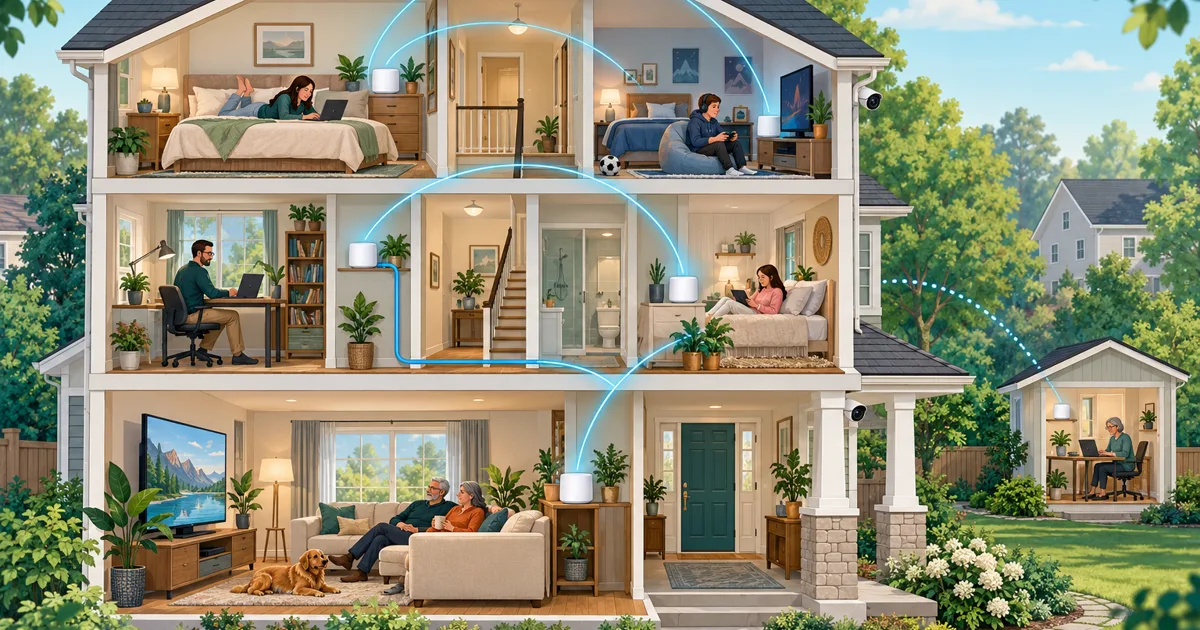
Backhaul is the connection between the main router and the other mesh nodes. With wireless backhaul, that traffic crosses the same difficult walls and floors that caused the coverage problem. A tri-band Wi-Fi 7 system can use 5 and 6 GHz intelligently, and MLO can combine links when the equipment supports it, but radio still has to cross the house.
With Ethernet backhaul, each node gets a predictable wired path. This is valuable in a multi-floor home, around masonry, in a detached office with conduit, and anywhere a node serves gaming PCs or workstations. It also lets a mid-range mesh compete with a more expensive wireless design. Use cable and switches rated for the link speed and distance. After setup, confirm in the app that every node reports Ethernet backhaul and the expected negotiated speed.
Port layout matters. The Deco BE63 is unusually convenient because all four ports on each unit can act as WAN or LAN. Eero Pro 7 has fast ports but only two, so the gateway consumes one and wired backhaul consumes the other unless you add a switch. ZenWiFi BT8 leaves a 2.5 GbE LAN port and two gigabit ports after its WAN connection. Orbi 770 gives its router three 2.5 GbE LAN ports and each satellite two.
If you place a separate firewall ahead of the mesh, run the mesh in bridge or access-point mode to avoid double NAT. Some subscription functions change or stop in bridge mode. Eero says its DNS filtering, historical usage, and hotspot backup are among the affected features. Our Firewalla and mesh bridge-mode guide covers that design without repeating it here.
Wi-Fi 7 versus Wi-Fi 6E in a large home
Wi-Fi 6E and Wi-Fi 7 can both use the 6 GHz band. Wi-Fi 7 adds tools such as 320 MHz channels, 4K-QAM, and MLO. A compatible Wi-Fi 7 laptop or phone may use those features; a Wi-Fi 6 or older device cannot. Older devices still connect and may benefit indirectly when newer devices finish transfers faster or when 6 GHz moves traffic away from 5 GHz.
Six GHz is useful capacity, not magic wall paint. FCC rules for low-power indoor 6 GHz access points rely partly on building walls significantly attenuating their signals. That is one reason a 6 GHz connection can be excellent near a node and disappointing through dense construction. Node placement and backhaul remain more important than the generation badge.
Choose Wi-Fi 7 if you are buying a premium mesh now, have multi-gigabit service or local transfers, expect to keep the system for years, or already own Wi-Fi 7 clients. A discounted Wi-Fi 6E system can still be sensible for gigabit internet, mostly older clients, and wired backhaul. The eero Pro 6E and Deco XE75 are the relevant lower-tier alternatives. Do not replace a working 6E mesh solely to obtain MLO.
Subscriptions, security, and update support
All six systems include WPA2 and WPA3 support, guest access, and firmware updates. Their router modes also provide firewall and NAT functions. Paid services add filtering, threat reputation, usage history, or endpoint software. They do not turn an unsupported router into a supported one, and they do not replace updates on phones, computers, cameras, and other devices.
Eero: Basic networking and profiles work without eero Plus. Advanced threat protection, ad blocking, content filters, app blocking, and detailed historical data sit in the subscription. Eero provides the clearest support promise in this group: its security-update page lists Pro 7 and Max 7 through at least October 31, 2031, as of October 2026.
NETGEAR: Orbi includes separate main, guest, and IoT networks plus WPA3 support. Armor and premium parental controls are paid services after any included trial. NETGEAR’s end-of-service policy says products generally reach end of service three years after the last sale date. That provides a policy, but no fixed retirement date while a model remains on sale.
TP-Link: Deco BE63 includes an IoT network, device isolation, WPA3, and basic HomeShield functions. More advanced threat protection and family controls require one of the paid HomeShield plans. TP-Link publishes end-of-life information by model and hardware version rather than giving BE63 a dated minimum in its specification. US shoppers concerned about the brand’s regulatory status can read our FCC router rules guide.
ASUS: ZenWiFi BT8 includes AiProtection Pro, malicious-site blocking, two-way intrusion prevention, infected-device blocking, family profiles, schedules, filters, and VPN features. ASUS states that the BT8’s parental controls have no subscription, and its broader AiProtection material describes the service as subscription-free. ASUS provides automatic firmware update settings and an end-of-life list, but the BT8 page does not state a minimum support-through date.
The update-policy winner is eero because a date is more useful than a vague lifecycle. The included-feature winner is ASUS. Deco sits between them. Orbi has strong network separation and automatic updates, but budget for paid Armor if you want its threat-filtering layer. For broader family filtering choices, see the best routers for parental controls.
What to avoid
Do not size from the coverage number alone. Vendor figures are useful for comparing product families, not predicting your address. Brick, concrete, foil-backed insulation, mirrors, metal ductwork, radiant barriers, and floor construction can turn one large open-plan home into several small radio rooms.
Do not put a wireless node in the dead zone. It needs a healthy connection back to the main unit. Start roughly halfway between the router and the problem area, then check the app’s link status. A satellite hidden in a cabinet beside electrical equipment is tasteful interior design and poor radio planning.
Do not buy too many nodes at once. More transmitters can add contention and encourage devices to cling to the wrong node. Start with two for a 3,000 to 4,000 square foot home unless the layout clearly calls for three. Add a compatible node after mapping the remaining weak area.
Do not mix generations casually. Eero warns that older eero hardware can reduce performance when mixed with its Wi-Fi 7 models. Other ecosystems may allow mixed nodes while limiting features to the capabilities shared across the mesh. For a new main system, matched units are easier to reason about.
Do not confuse filtering with antivirus. Router security can block known malicious destinations and suspicious traffic. It cannot inspect every encrypted action or clean an infected laptop. Keep endpoint and smart-device software current.
Setup checklist after buying
- Put the gateway in an open, central location, above floor level and away from metal, mirrors, aquariums, large appliances, and the electrical panel.
- Update every node before judging speed or stability. Enable automatic firmware updates where the app offers a choice.
- Use one strong, unique administrator password and another strong Wi-Fi password. Turn on account two-factor authentication if the vendor offers it.
- Select WPA3 Personal with WPA2 compatibility if older devices need it. The FTC recommends WPA3 or WPA2 and warns against obsolete WPA and WEP.
- Create a guest or IoT network for cameras, plugs, appliances, and visitors where local isolation fits your needs. Follow our guest WiFi setup guide for the vendor-specific taps.
- Disable WPS, remote administration, and UPnP unless a device or service genuinely requires them. The five router settings to disable explains the tradeoffs.
- If using Ethernet, verify each satellite says wired or Ethernet backhaul. If using wireless, check that every satellite reports a good link before running speed tests.
- Test beside each node and in the real trouble spots. Check video calls, work devices, consoles, and cameras, not just a speed-test number.
- Record the model, hardware version, purchase date, and support page. Review update status twice a year with our router security-update checklist.
- Keep the boxes until the return period ends. A different node position may fix a weak room; persistent disconnects or a bad topology may justify a different system.
For most people, the decision ends with three questions. If you have Ethernet, buy Deco BE63 for ports and value or ZenWiFi BT8 for included controls. If you want the simplest app, buy eero Pro 7. If you cannot run cable and the house is genuinely huge or hostile to radio, compare Orbi 770 with Orbi 970, then pay for the 970 only when its dedicated backhaul and 10 GbE hardware solve a problem you actually have.