The best router for parental controls in 2026 is the Gryphon AX: rules follow each child instead of each device, its filtering is the hardest for kids to get around, and the core controls are free. If you want no subscription anywhere, the Synology WRX560 gives away excellent controls, and the ASUS RT-BE86U pairs free controls with fast WiFi 7. Don’t buy eero or a subscription-gated mesh kit for parental controls; buy it for the WiFi.
Every router review mentions parental controls; almost none judges them the way an actual child attacks them. Picture a determined twelve-year-old with a tablet, a deadline (“screen time ends at nine”), and endless motivation. The question isn’t “does the toggle exist.” It’s “how long until the kid is watching YouTube anyway.”
We compared four systems through that lens: Gryphon AX, Synology WRX560, ASUS RT-BE86U, and eero 7 with eero Plus. Here’s how they hold up on paper and in parents’ reports.
What router parental controls can (and can’t) do
A parental control router filters and schedules the internet for every device on your WiFi, including the ones with no parental-control app of their own: game consoles, smart TVs, streaming sticks and school laptops you don’t manage. Typical features:
- Content filtering by category (adult, gambling, social media) and enforced SafeSearch / YouTube Restricted Mode.
- Schedules and bedtimes that cut a child’s devices off at set times.
- Pause for dinner or homework, from your phone.
- Per-child profiles, so rules apply to all of one child’s devices at once.
- Time limits and app blocking (block TikTok or Fortnite specifically) on the better systems.
What a router can’t do: see inside apps or messages, control a phone on mobile data (Gryphon’s paid HomeBound feature is the one exception), or follow a child to a friend’s house. That’s why the router is one layer, not the whole plan.
The bypass gauntlet
The four tricks every kid eventually finds (usually via a friend, occasionally via TikTok tutorials):
- Mobile data. Router rules stop at your WiFi. For teens with data plans, router controls need a phone-plan or phone-settings accomplice.
- VPN apps. They tunnel straight past content filters unless the router blocks VPN protocols or the profile blocks app installs.
- Manual DNS change. Device-level DNS (or “private DNS” on Android) sidesteps naive filtering.
- MAC address spoofing. The tablet impersonates the smart TV, inheriting its unrestricted rules. Elegant. Infuriating.
A system earns “bypass-resistant” only if profile rules follow the child, not the device’s easily forged identity, and if DNS/VPN escapes are caught at the network level.
How they compare
| Gryphon AX | Synology WRX560 | ASUS RT-BE86U | eero 7 + Plus | |
|---|---|---|---|---|
| Per-child profiles | ✓ excellent | ✓ excellent | ✓ good | ✓ basic |
| Bedtime / schedules | ✓ | ✓ | ✓ | ✓ |
| Homework mode | ✓ unique | partial | — | — |
| App-level limits | ✓ | ✓ | partial | — |
| Resists DNS-change trick | strong | strong | with setup | weak |
| Resists VPN apps | strong | mostly | partial | weak |
| Resists MAC spoofing | strong | strong | weak | weak |
| Controls cost | core free | all free | all free | subscription |
| WiFi generation | WiFi 6 | WiFi 6 | WiFi 7 | WiFi 7 |
| Price | $263 | $202 | $202 | $350 (3-pack) |
The bypass ratings are our assessment of how each system’s filtering is built (rules tied to a child’s profile or to a device, enforced at the network or on the device), based on the makers’ documentation and what parents report in owner forums. They are not lab results; see how we pick and score products.
The winner: Gryphon AX
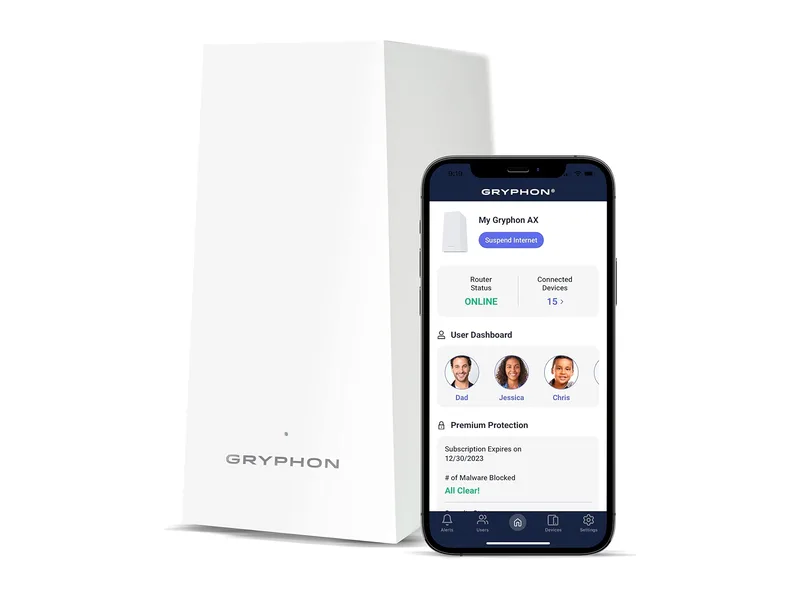
The Gryphon AX is the only router here designed around parenting rather than offering it as a feature tab, and it shows. Profiles belong to children, not devices; a new device gets assigned to a kid and inherits their rules instantly. Homework mode (school tools allowed, everything fun paused) is the single feature other vendors most need to copy. And it’s built to shut down all three network-side bypass tricks: the filtering happens at a level the device can’t negotiate with.
Costs: $263, WiFi 6 only (a real limitation in 2026, with no 6 GHz), and the advanced malware filtering plus HomeBound (which extends a child’s rules to their phone on mobile data and other WiFi networks) sit in Gryphon’s paid plans, though the parental core stays free. For bigger homes you can add a second Gryphon unit as a mesh node. For families where controls are the purchase reason, none of that changes the verdict.
Best value: Synology WRX560
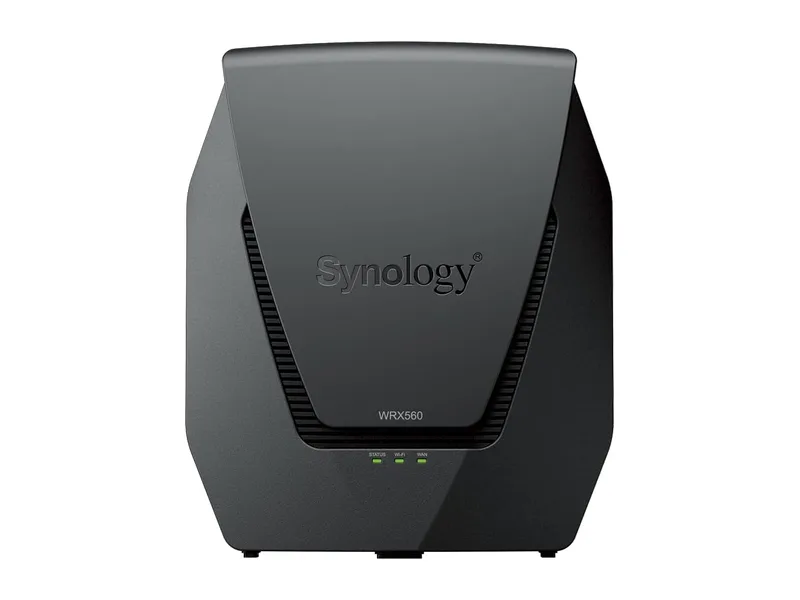
The WRX560 at $202 gives away what others charge for: Safe Access profiles, per-child time budgets that span devices, content filtering, and clean weekly reports, all permanently free. It handles the DNS and MAC tricks well and the VPN one only partly (a determined teen with an obscure VPN protocol can slip through unless you block it manually; possible, but it’s a rule you write).
It’s also simply a good router: 2.5 GbE port, VLANs for the smart-home lane, mesh-able with a second unit. WiFi 6 dual-band only. If the Gryphon’s price or WiFi ceiling bothers you, this is the pick: the router equivalent of the sensible estate car that embarrasses the flashy stuff.
Best mainstream compromise: ASUS RT-BE86U
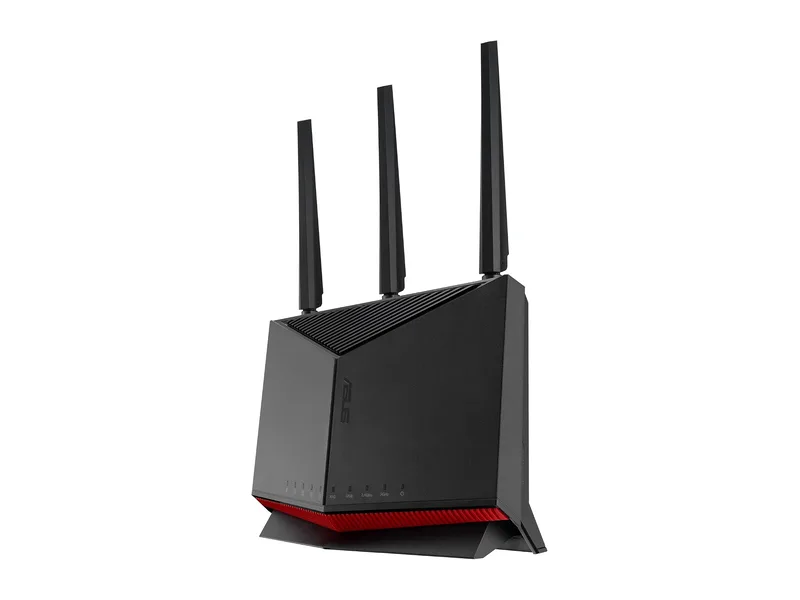
Maybe you want a fast, normal router that happens to have honest free controls. The RT-BE86U is WiFi 7 with a 10G WAN port, and its free parental controls cover profiles, schedules and category filtering. It’s weak against MAC spoofing (rules attach to devices, not identities), making it better for younger kids than wily teens. For households where parenting features share priority with raw performance, it’s the balanced answer, and there’s no subscription anywhere on the box. ASUS’s AiMesh also lets you add another ASUS router later for coverage.
The one to avoid buying for this purpose: eero + subscription
We like eero: easiest mesh there is, and our set-and-forget pick for families in the general sense. But as a parental-control purchase it’s the weakest here: content filters and app blocking need eero Plus (a recurring cost; eero lists it at about $99.99 a year), profiles are device-based, and it does little to stop any trick in the gauntlet. Buy eero for the WiFi. Buy controls elsewhere.
No-subscription parental controls: what is free, brand by brand
The “no subscription” question decides more purchases than any spec. Here is where the paywall sits for the brands parents ask about most. Subscription prices are list prices from each maker’s own pages and change often, so check at checkout.
| Brand | Free | Paid |
|---|---|---|
| Gryphon | Profiles, schedules, homework mode, filtering | Advanced security and HomeBound (phones away from home) |
| Synology (Safe Access) | Everything: profiles, time budgets, filtering, reports | Nothing required |
| ASUS | Profiles, schedules, category filtering | Nothing required |
| Firewalla (add-on box) | Per-device and group rules, app and category blocking | Nothing required |
| eero | Profiles, pause, schedules | eero Plus (about $99.99/yr list) for content filters and app blocking |
| TP-Link Deco (HomeShield) | Basic profiles and controls | Advanced Parental Controls (about $17.99/yr list in the US) for fuller time and app controls |
| Netgear | Basic access controls | Smart Parental Controls subscription (about $69.99/yr list at its 2021 launch) |
If “no subscription, ever” is the rule in your house, the shortlist is Synology, ASUS, Gryphon’s free core, or a Firewalla added to the router you already own.
Kid-friendly mesh: when you need coverage too
If the house needs mesh and you want strong controls, you don’t have to pick one. Gryphon, the Synology WRX560 and ASUS (through AiMesh) all expand with additional units while keeping their free controls. The easier mesh kits, Deco and eero, put their best parental features behind subscriptions, so price those in. Not sure you need mesh at all? Our mesh vs. single router guide settles it by floor plan.
Already have a router? Add controls without replacing it
- Free and five minutes: family-filtering DNS. Enter a service such as OpenDNS FamilyShield or CleanBrowsing’s Family filter in your router’s DNS settings and adult sites are blocked for every device on the network. No profiles, no schedules, and a kid who changes DNS on their own device walks around it, so treat it as a floor, not a fence.
- The real upgrade: a Firewalla. The Firewalla Purple SE plugs in next to your existing router and adds per-device and per-group rules, app blocking and schedules with no subscription. See is Firewalla worth it? for which households it suits.
How to set up router parental controls (any brand)
- Change the router’s admin password first. A kid who knows it can undo everything.
- Create one profile per child and assign every device they use: phone, tablet, laptop, console.
- Turn off “private” or randomized WiFi addresses for your home network on each child’s phone and tablet (iPhone and Android both randomize by default). Otherwise the device can show up as a new, unrestricted device.
- Set bedtimes and schedules before content filters; they cause the fewest arguments and do the most good.
- Pick a filter level by age and turn on SafeSearch / YouTube Restricted Mode enforcement if offered.
- Block VPN and DNS bypass if the router has the option.
- Keep the guest network password to yourself. A guest network usually sits outside the kids’ profiles, which makes it the easiest escape hatch in the house.
What no router fixes
Three honest limits: mobile data (set limits at the phone plan or in the phone’s own screen-time settings), other people’s WiFi (values travel better than firewalls), and the arms race itself. A sufficiently motivated teen eventually wins, which is why the endgame is the conversation, not the config. The router buys you the years in which those conversations can happen at all. The family online-safety weekend plan is the companion piece for the non-hardware half.