Quick answer: yes, you can keep using a TP-Link, GL.iNet, Ubiquiti, Firewalla, or other router already in your home, and the FCC says already-authorized covered routers may keep receiving qualifying software and firmware updates until at least January 1, 2029. The bigger change is about new router models. In March 2026, the FCC added foreign-produced consumer routers to its Covered List unless they receive Conditional Approval from DoW or DHS. That means a new foreign-produced consumer router model generally needs the right FCC authorization path before it can be imported or sold in the United States. This is an explainer, not legal advice, because nothing makes a family WiFi upgrade more fun than federal equipment authorization rules.
What changed in 2026
On March 23, 2026, the FCC announced that consumer-grade routers produced in a foreign country were added to the Covered List, except routers granted Conditional Approval by DoW or DHS. The FCC fact sheet says the action followed an Executive Branch national security determination about foreign-produced routers and supply-chain risk. The key consumer detail is narrower than many scary headlines made it sound: the FCC said the action does not stop people from using existing routers and does not prevent retailers from continuing to sell, import, or market router models already approved through the FCC equipment authorization process.
The FCC later clarified the update problem. Its March 2026 waiver first allowed already-authorized covered routers to continue receiving software and firmware updates for a shorter period. Then, on May 8, 2026, FCC Public Notice DA 26-454 extended and expanded that waiver through at least January 1, 2029 for qualifying software and firmware updates that mitigate harm to US consumers.
Plain English version: your current router did not suddenly become contraband. The real buying question is whether the exact model you are buying is already authorized, newly exempted by Conditional Approval, or stuck waiting for a regulatory path.
For general home-network hardening, pair this guide with our home network security checklist and the quick settings in disable these router settings.
What the rule does and does not do
The rule affects FCC equipment authorization, which is the approval system used for radio-emitting devices such as WiFi routers. A new foreign-produced consumer router that falls under the Covered List generally cannot receive FCC authorization unless it has Conditional Approval. Without that authorization, it generally cannot be imported or marketed for US sale as a new model.
It does not mean a family must unplug an existing router. It does not mean every router box at a store is illegal. It does not mean firmware updates are banned now. As of October 2026, the FCC update waiver runs until at least January 1, 2029 for covered routers that were already authorized for US use before the Covered List addition.
It also does not mean every brand is treated the same way. The FCC has published Conditional Approvals for some router families. For example, Netgear Orbi and Nighthawk consumer router families received Conditional Approval from April 14, 2026 to October 1, 2027, eero router families from April 22, 2026 to October 31, 2027, and ASUS router families from September 6, 2026 to March 6, 2028, according to FCC public notices.
Brand status, as of October 2026
This table is limited to official FCC documents and company statements I found. Absence from this table is not proof of anything by itself. It means you should check the current FCC Covered List, the vendor’s support page, and the exact product listing before buying.
| Brand | Existing routers in homes | New US availability status | Official basis |
|---|---|---|---|
| TP-Link | TP-Link says existing routers remain authorized, supported, and will keep receiving firmware and security updates. | TP-Link said on April 14, 2026 that it was pursuing Conditional Approval and planning US-based manufacturing. I found no FCC Conditional Approval notice naming TP-Link router families in the FCC notices reviewed for this guide. | TP-Link statement and FCC router notices. |
| GL.iNet | GL.iNet says US-launched models such as Mudi 7, Beryl 7, Flint 3e, and earlier models are eligible for firmware updates and security patches under the FCC waiver. | GL.iNet says newer models without the required authorization, including Flint 4 and Slate 7 Pro, will not be available in the US at initial release until further notice. | GL.iNet statement. |
| Ubiquiti | Already-authorized routers can use the FCC update waiver if they fit the covered-router category and were authorized before the rule date. | I found no FCC Conditional Approval notice naming Ubiquiti router families in the FCC notices reviewed for this guide, and no official Ubiquiti company statement that resolved future-model status. | FCC notices, especially DA 26-278 and DA 26-454. |
| Firewalla | Firewalla says its devices can route traffic in router mode, but the company does not consider them consumer-grade routers. Its regulatory page lists FCC information for several products. | Firewalla frames its products as managed network security appliances rather than passive consumer routers. Treat that as the company’s position, not a blanket legal answer. | Firewalla FCC statement and Firewalla regulatory page. |
The practical takeaway: if you already own one of these products, update it. If you are buying a new model in late 2026, avoid relying on forum guesses. Look for the exact model, its FCC ID, and a clear US availability statement from the vendor.
Is TP-Link banned?
No, that is too broad. TP-Link itself says the FCC action does not affect existing routers and that existing TP-Link routers remain supported. The FCC action is about covered equipment authorization for foreign-produced consumer routers and new models, with exemptions for Conditional Approval.
The careful answer is this: an existing FCC-authorized TP-Link router in a US home can keep operating, and qualifying updates are allowed under the FCC waiver until at least January 1, 2029. New TP-Link models are a different question. As of October 2026, I would not buy a newly launched TP-Link router in the US unless the product page, FCC ID record, or TP-Link support page clearly shows it is authorized for US sale under the current framework.
If you already have a Deco mesh and it is working well, replacing it only because of the headline is usually not the best first move. Change the admin password, turn on automatic updates if available, use WPA3 or WPA2 Personal, and separate sketchy smart devices onto a guest or IoT network. The FTC gives similar plain advice in its home WiFi security guide.
Can I still buy GL.iNet?
Yes, but be picky about the exact model. GL.iNet says products currently sold in the US are not affected and will continue to receive normal support, including firmware updates and security maintenance. The company also says some newer models without the required authorization will not be available in the US at initial release.
That means a Flint 3e already launched in the US is a different buying question from a future Flint 4 launch. If you like GL.iNet because of OpenWrt roots, VPN features, and travel-router flexibility, that is still a real use case. Just do not assume every new model shown on a global product page is available or authorized for US sale.
For power users comparing GL.iNet models, see Flint 2 vs Flint 3 and Flint 3 vs Flint 3e. Those guides are about product fit, while this guide is about the FCC buying wrinkle.
What to buy if replacing a router now
If you are replacing a router in late 2026, I would favor models with clear official specifications and clear FCC Conditional Approval coverage where applicable. For most families, the boring answer is also the better answer: buy something that updates itself, supports modern WiFi security, and is easy enough that you will actually maintain it.
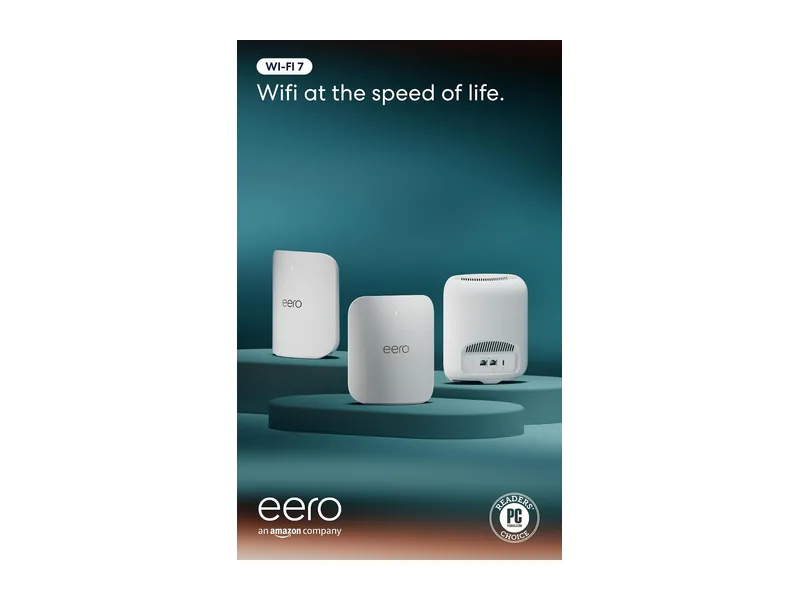
Best easy mesh: eero Pro 7. eero is the simplest pick for households that want strong WiFi without managing every knob. The official eero Pro 7 support page lists WiFi 7, tri-band radios, two 5 GbE ports, support for 200-plus devices, and up to 2,500 square feet per unit. The FCC granted Conditional Approval for eero router families from April 22, 2026 to October 31, 2027, according to FCC DA 26-390. The tradeoff is that some advanced security and family features sit behind eero subscriptions.
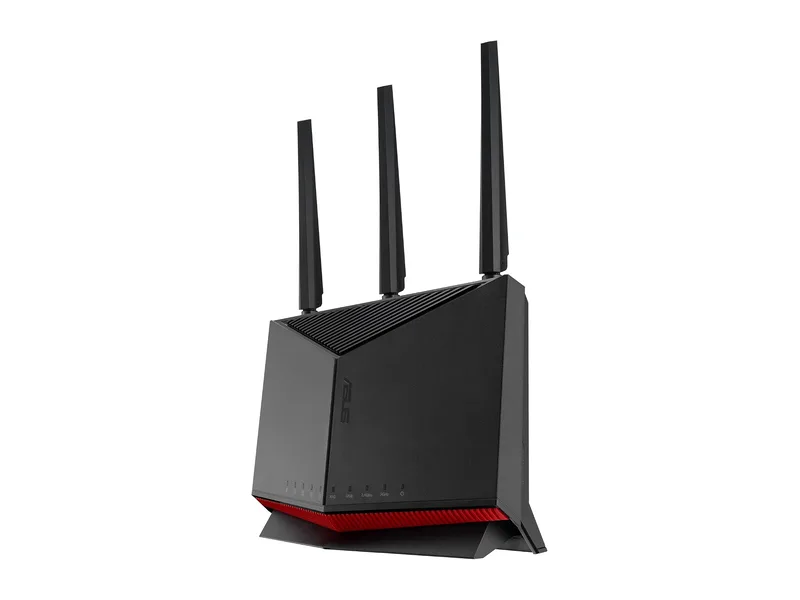
Best single router: ASUS RT-BE86U. This is the pick for a technically comfortable home that wants one fast box, local controls, and no required security subscription for ASUS AiProtection Pro features. ASUS lists WiFi 7, a 10G WAN/LAN port, several 2.5G ports, WPA3 support, VPN features, firewall controls, and auto firmware update in the official RT-BE86U specifications. The FCC granted Conditional Approval for ASUS RT, ROG, TUF, ExpertWiFi, ZenWiFi, 5G MiFi, repeater, and access-point families through March 6, 2028 in FCC DA 26-957.
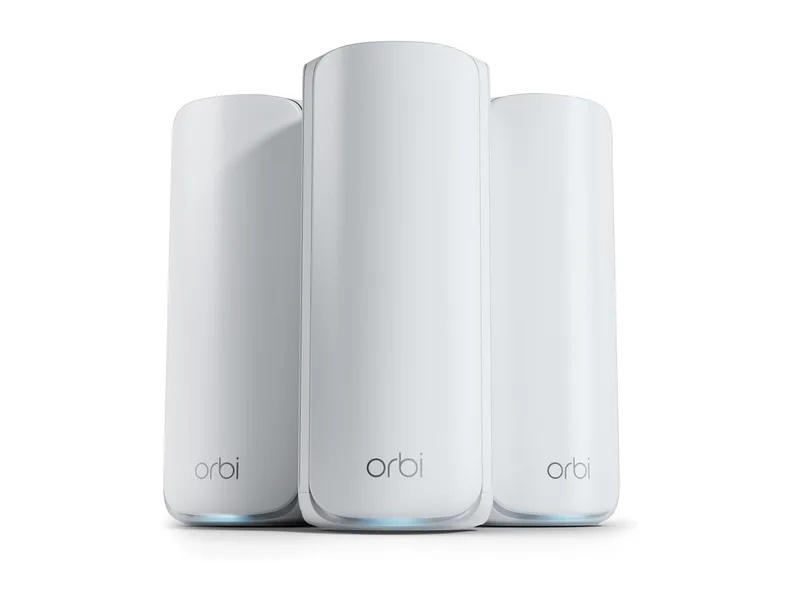
Best for big homes: NETGEAR Orbi 770. Orbi 770 makes sense when coverage matters more than tinkering. NETGEAR lists tri-band WiFi 7, up to 11 Gbps total WiFi speed, up to 8,000 square feet for the 3-pack, up to 100 concurrent devices, 2.5G connectivity, automatic firmware updates, and built-in security features on the official Orbi 770 page. The FCC granted Conditional Approval for Netgear Nighthawk, Orbi, cable gateway, and cable modem families from April 14, 2026 to October 1, 2027 in FCC DA 26-437.
Spec comparison
| Pick | Best for | WiFi generation | Wired ports | Security notes | FCC status |
|---|---|---|---|---|---|
| eero Pro 7 | Easy family mesh | WiFi 7 tri-band | Two 5 GbE ports per unit | Continuous firmware updates listed by eero; eero Plus optional | Conditional Approval to Oct. 31, 2027 |
| ASUS RT-BE86U | One fast router | WiFi 7 dual-band | One 10G WAN/LAN, one 2.5G WAN/LAN, three 2.5G LAN | AiProtection Pro, WPA3, VPN, firewall, auto firmware update | ASUS families approved to Mar. 6, 2028 |
| NETGEAR Orbi 770 | Larger homes | WiFi 7 tri-band mesh | 2.5G internet and wired backhaul support | Automatic firmware updates; Armor trial and subscription options | Netgear families approved to Oct. 1, 2027 |
If your house is small or your internet plan is ordinary, a premium WiFi 7 mesh kit may be overkill. If your router sits in one corner behind a TV, even the fancy one will still act like it has been assigned a punishment corner. Placement matters.
What to avoid
Avoid buying a newly launched foreign-produced router model from a US seller if the listing does not show an FCC ID, a US support page, or a clear statement that the model is authorized for US sale. Marketplace listings can lag behind regulatory changes, and a bargain becomes less charming when firmware support is vague.
Avoid unsupported routers, even if they are technically legal to keep using. CISA has repeatedly told organizations to replace unsupported network devices and change default administrative credentials. That advice fits homes too. A router that no longer receives security patches is a bad place to save money.
Avoid buying for raw speed alone. A family with laptops, phones, TVs, cameras, consoles, and smart speakers usually benefits more from reliable updates, WPA3 or WPA2 security, guest networks, parental controls, and simple device visibility than from a number on the box that only one phone can use while standing near the router.
For bigger security upgrades, see our best hardware firewall for home and best router for parental controls.
Setup checks after buying
First, update the firmware before judging performance. New routers often ship with older firmware, and the FTC specifically advises checking the manufacturer website or app for newer router software before or during setup.
Second, set a unique router admin password. Do not reuse your WiFi password for router administration. Store both in a password manager if your household has more passwords than patience.
Third, use WPA3 Personal if all important devices support it. If older devices fail to connect, WPA2 Personal is still the fallback the FTC recommends over older WPA and WEP modes. Turn off WPS if you do not need it.
Fourth, create a guest or IoT network for cameras, plugs, TVs, and mystery devices that appear after holidays. Our guest WiFi setup guide and smart devices on guest WiFi guide explain the practical version.
Fifth, confirm automatic updates are on. If the router only supports manual updates, set a calendar reminder. The FCC waiver allows qualifying updates through at least January 1, 2029 for already-authorized covered routers, but it does not install them for you.
Bottom line
For routers already in homes, the 2026 FCC action is mostly a maintenance story: keep the router updated, replace it when vendor support ends, and do not panic-buy because of a headline. For new purchases, it is a model-specific buying story: favor routers with clear FCC status, clear US support, and a security update process you will actually use.
If you want the least drama, buy eero Pro 7 for easy mesh, ASUS RT-BE86U for a powerful single router, or NETGEAR Orbi 770 for larger homes. If you want TP-Link, GL.iNet, Ubiquiti, or Firewalla, check the exact model status first. That is boring advice, which is usually the best kind of router advice.