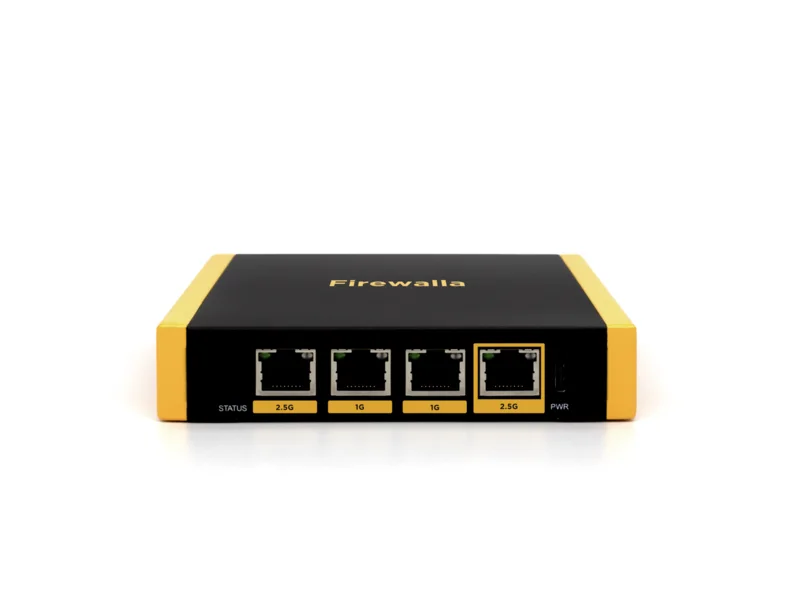
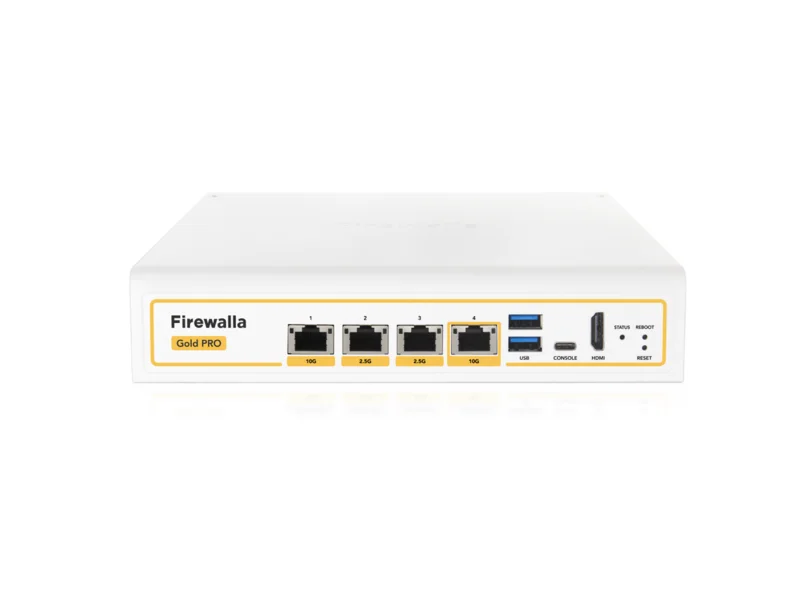
$420. That’s the gap between the Firewalla Gold SE at $519 and the Firewalla Gold Pro at $939, and it’s one of the easiest overpayment traps in home networking — because the product pages look similar, the Pro is “the best one,” and nobody enjoys buyer’s doubt. Put the two spec sheets side by side and the conclusion is blunt: most people considering the Gold Pro should buy the Gold SE and keep the $420.
Here’s the full comparison, and exactly who falls into the minority that should pay up.
The one fact that settles most cases
Both boxes run the same software. Same app, same features, same parental controls, same VPN server, same ad blocking, same alerts, same update schedule, and — true to Firewalla’s model — no subscription on either. You cannot buy a single security feature with the extra $420.
What you buy is hardware headroom: the Pro inspects traffic at up to 10 Gbps versus the SE’s 2 Gbps, and carries 10GbE ports versus the SE’s 2.5GbE — figures straight from Firewalla’s official spec pages for the Gold Pro (firewalla.com) and the Gold SE (firewalla.com). That headroom matters only if your internet plan or internal network can actually fill it. A 10 Gbps firewall on a 500 Mbps plan is a freight elevator installed for a two-story house.
Side by side
| Firewalla Gold SE | Firewalla Gold Pro | |
|---|---|---|
| Price | $519 | $939 |
| Throughput (with inspection) | 2 Gbps | 10 Gbps |
| Fastest ports | 2× 2.5GbE (+ 2× 1GbE) | 10GbE (+ 2.5GbE) |
| Subscription | None | None |
| Software & app | Identical | Identical |
| Security features | Identical | Identical |
| Comfortable plan ceiling | Up to ~1.5 Gbps | Multi-gig, up to 10 Gbps class |
| Noise/heat | Fanless-quiet, cool | More powerful hardware, still living-room friendly |
| Best for | Homes on plans ≤1 Gbps (most homes) | Multi-gig plans, home labs, future 10G networks |
What “identical software” means day to day
Because the spec sheet dominates these comparisons, it’s worth spelling out what both boxes give you in equal measure, since this is the part you’ll actually touch after week one:
- Device visibility. Every phone, laptop, TV, camera, and smart plug on your network, listed by name, with a live view of what it’s talking to and how much data it’s moving. New-device alerts arrive on your phone the moment something joins.
- Family controls. Per-person groups, content category blocking, app limits, bedtime pauses, and a “pause the internet for this device” button that settles a homework standoff faster than any lecture.
- Smart-home quarantine. Both boxes segment your network so the bargain smart plug can’t see your laptop — the single most valuable firewall feature for a modern gadget-filled home.
- Ad and tracker blocking for every device on the network, including the TVs and tablets you can’t install a blocker on.
- A built-in VPN server, so your phone on hotel WiFi routes through your home connection with two taps.
- No subscription, ever. Firewalla’s defining trait in a category drifting toward monthly fees. The price on the box is the whole price for both models.
Every one of those behaves the same on both boxes. Hold that in mind while the spec sheet whispers that bigger numbers must mean more safety — here, they genuinely don’t.
A plain-English word about the ports
The port difference sounds technical, so here’s what it means in practice. Ports are the sockets you plug wires into, and their number — 1GbE, 2.5GbE, 10GbE — is the ceiling on how fast data moves through that wire.
The Gold SE’s fastest sockets are 2.5GbE. That comfortably carries any internet plan up to about 2 Gbps and matches the ports on virtually every consumer router, computer, and mesh system sold today. The Gold Pro’s 10GbE sockets only earn their keep when the equipment on both ends of the wire also speaks 10GbE — a 10G switch, a 10G-equipped computer or NAS. If you don’t know whether you own 10GbE equipment, you don’t, and the Pro’s headline port is a socket you’ll never fill.
What the numbers mean on a gigabit line
On a 1 Gbps plan, both boxes have room to spare. Firewalla rates the SE at 2 Gbps with full inspection and the Pro at 10 Gbps, so either one carries a gigabit line at full speed with every security feature on. The app, alerts and VPN run on the same software, so they behave the same too. On a 1 Gbps plan the Pro’s extra silicon simply never wakes up.
Where the Pro pulls away is multi-gig traffic between wired machines routed across network segments, the kind of traffic a NAS-heavy home lab generates. There the SE’s 2.5GbE ports become the ceiling and the Pro’s 10GbE keeps climbing. A real workload for some readers, but not for most.
Gold SE is enough if…
- Your internet plan is 1 Gbps or slower. This is the whole ballgame. The SE inspects 2 Gbps; your plan can’t outrun it, today or after the free speed bump your ISP announces next year.
- Your wired network is 2.5GbE or slower — which describes nearly every home, since most computers, switches, and access points top out at 1GbE or 2.5GbE anyway.
- Your “heavy use” is streaming, gaming, video calls, and smart-home gear. Even simultaneously, a busy family evening rarely sustains 500 Mbps. Gaming wants low latency, not multi-gig bandwidth, and a bigger firewall doesn’t lower your ping.
- You’re buying your first firewall. Start at $519. Firewalla boxes hold resale value unusually well; in the unlikely event you outgrow the SE, upgrading later costs less than the regret of an unused Pro.
Pay for Gold Pro only if…
- Your internet plan is above 1.5 Gbps — the 2, 3, 5, and 8 Gbps fiber tiers now common in fiber cities. Here the SE genuinely becomes the bottleneck, and the Pro is the correct purchase, not a luxury.
- You run a multi-gig wired backbone — 10GbE switch, NAS, and machines that move big files across segmented networks through the firewall.
- You self-host seriously. Media servers, home lab VMs, security-camera arrays with heavy recording traffic, many simultaneous VPN clients: sustained load where the Pro’s extra processing headroom keeps inspection fast.
- You’re wiring a new house for the next decade and multi-gig service is on your street’s roadmap. Buying the ceiling once can beat buying twice — just be honest about whether that roadmap is real or aspirational.
Verdict by internet plan speed
If you’d rather skip the reasoning and just look up your plan, here’s the whole guide in one table:
| Your internet plan | Buy | Why |
|---|---|---|
| Up to 500 Mbps | Purple SE or Gold SE | Even the SE is generous headroom here |
| 500 Mbps – 1 Gbps | Gold SE | Full speed with inspection on; the sweet spot |
| 1 – 1.5 Gbps | Gold SE | Still inside the SE’s 2 Gbps ceiling |
| 2 Gbps and up | Gold Pro | The SE would bottleneck; the Pro is built for this |
| Any speed + 10GbE home lab | Gold Pro | Internal traffic justifies it even on slower plans |
The upgrade math
The $420 difference, spent elsewhere, buys a lot of actual security: a Firewalla Purple SE for a relative’s house, two YubiKey 5C NFC hardware keys, a year of 1Password Families and Bitdefender Total Security — with money left over. A household on a gigabit plan gets zero additional protection from the Pro but measurable protection from any of those. If you’re still choosing between Firewalla and other brands entirely, our best home firewall guide and firewall reviews cover the full field.
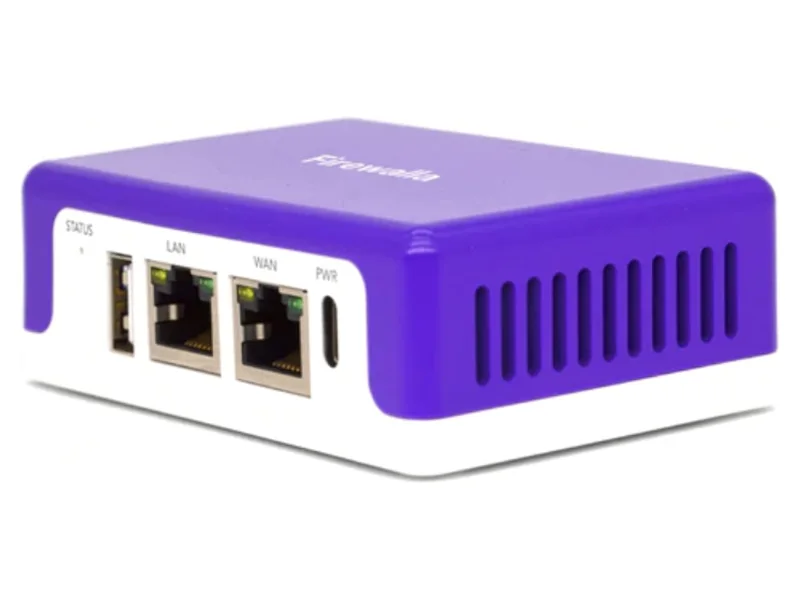
One more honest note: if $519 is above budget and your plan is 500 Mbps or under, drop down rather than stretching up — the Purple SE runs the same app and features at its own lower throughput ceiling, and it’s the better-matched purchase for slower plans.
The bottom line
Buy the Firewalla Gold SE unless your internet plan is faster than 1.5 Gbps or you run a genuine multi-gig wired network — the two boxes are identical in software and security, and on a gigabit line they’re identical in practice too. The Pro is an excellent machine for the multi-gig minority it was built for. For everyone else, the SE at $519 is the same protection with $420 still in your pocket.