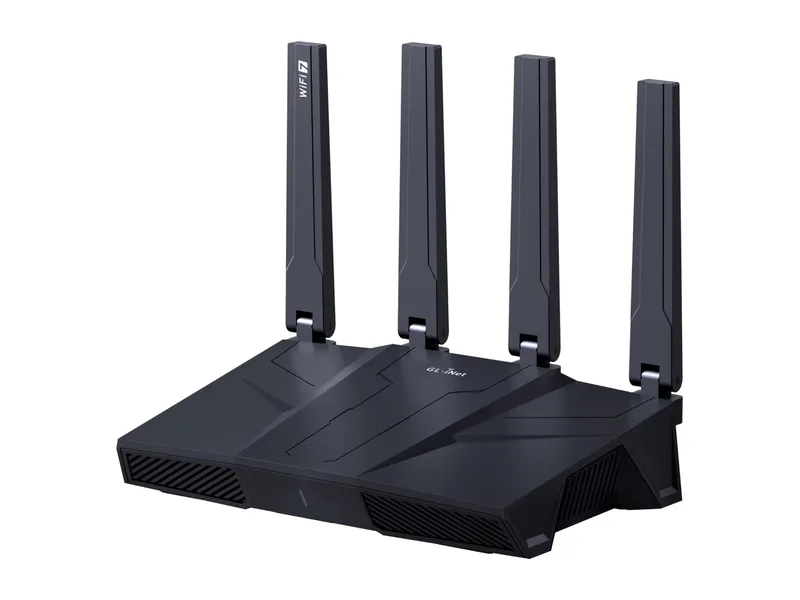
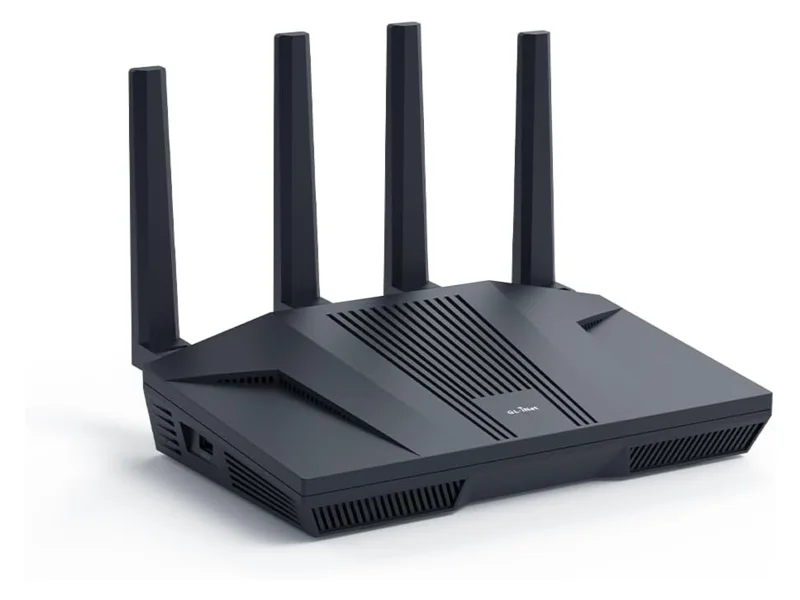
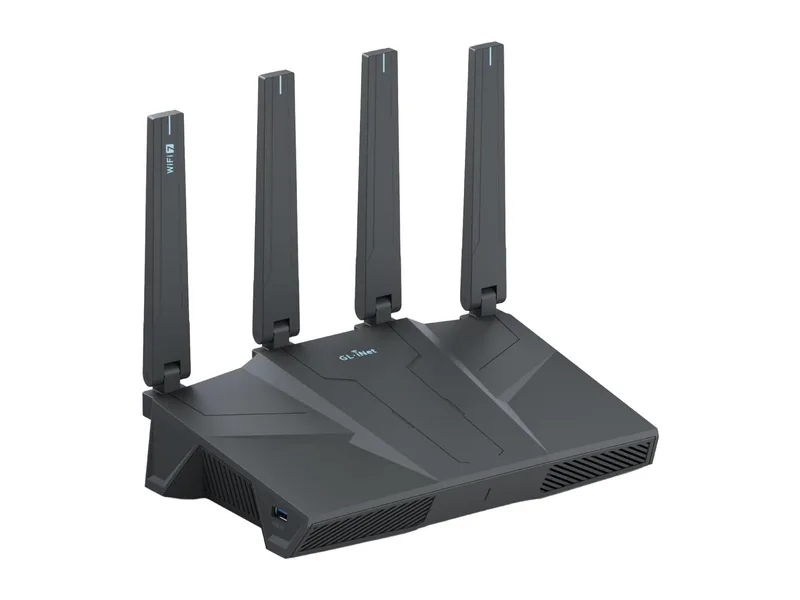
The Flint 2 has spent two years as the default answer to “which router should I buy for a VPN?” — cheap enough to be an easy yes, fast enough to run a whole household through WireGuard, and open enough (OpenWrt underneath) to never feel like rented hardware. Now the Flint 3 is shipping, it costs about $25 more, and the obvious question lands in our inbox weekly: upgrade, or save the money?
We’ve gone through both spec sheets and what owners report on each. The short version: new buyers should get the Flint 3; most Flint 2 owners should stay put. Here’s the longer version, including the one group for whom the Flint 3 is a genuinely big deal, and the one area where the older router still rates higher.
Updated October 2026: we added GL.iNet’s new Flint 4 and replaced our VPN speed estimates with GL.iNet’s published figures, which changes one of the decision rules below.
What actually changed
| Flint 2 (GL-MT6000) | Flint 3 (GL-BE9300) | Flint 4 (GL-BE14000) | |
|---|---|---|---|
| WiFi | WiFi 6, dual-band | WiFi 7, tri-band with 6 GHz | WiFi 7, tri-band with 6 GHz |
| Rated wireless | AX6000 class | BE9300 class | BE14000 class |
| Ethernet | 2x 2.5 GbE + 4x GbE | 5x 2.5 GbE | 10G SFP+, 10 GbE, 4x 2.5 GbE, 4x GbE |
| CPU | MediaTek quad-core, 2.0 GHz | Qualcomm quad-core, 1.5 GHz | MediaTek quad-core, 1.8 GHz |
| RAM / storage | 1 GB / 8 GB eMMC | 1 GB / 8 GB eMMC | 2 GB / 64 GB eMMC |
| WireGuard (GL.iNet figure) | up to 900 Mbps | up to 680 Mbps | up to 1.5 Gbps |
| OpenVPN-DCO (GL.iNet figure) | up to 880 Mbps | up to 680 Mbps | up to 1.5 Gbps |
| USB | 1x USB 3.0 | 1x USB 3.0 | USB-A 3.0 + USB-C 3.0 |
| Display | None | None | 2.4-inch touchscreen |
| Firmware | OpenWrt-based, AdGuard Home | Same — identical app and features | Same GL.iNet firmware |
| Subscription | None | None | None announced |
| Typical price | ~$160 | ~$185 | $369.99 list, not sold in the US |
VPN figures are GL.iNet’s own, measured in client mode on a local network. Server mode is slower, and real-world speed through a commercial VPN also depends on the provider’s servers. Specs are from GL.iNet’s product pages and its Flint 4 launch announcement, checked October 12, 2026.
Two things are worth underlining. First, the software experience is identical — if you handed a family member either router, they couldn’t tell them apart in the app. Every feature that made the Flint 2 famous (one-tap WireGuard, policy-based routing, AdGuard Home, Tailscale support) is on both, free, forever.
Second, the hardware jump is bigger than the $25 gap suggests. Five 2.5 GbE ports means the Flint 3 has no gigabit bottleneck anywhere — WAN, LAN, NAS, access point, desktop, all multi-gig. On the Flint 2, two devices get 2.5 GbE and everything else shares gigabit ports.
The 6 GHz band matters more than the WiFi 7 badge
Marketing will sell you WiFi 7’s peak speeds; ignore that. The practical win is the 6 GHz band: a mostly-empty highway in apartment buildings where 5 GHz is a traffic jam of forty neighboring networks. In a detached house the difference is modest. In a dense building, it’s the difference between your video call surviving 8 pm or not.
That’s our first decision rule: if you live surrounded by other people’s WiFi, the Flint 3’s third band is worth the upgrade on its own. If your neighbors are trees, it isn’t.
VPN throughput: the Flint 3 isn’t faster on paper
Here the spec sheets run the opposite way from what most people expect. GL.iNet rates the Flint 2 at up to 900 Mbps for WireGuard and 880 Mbps for OpenVPN-DCO. For the Flint 3, its figure is up to 680 Mbps for both. So by the maker’s own numbers, the newer router is the slower VPN box. The two use different chips (MediaTek in the Flint 2, Qualcomm in the Flint 3), and the WiFi 7 upgrade didn’t come with a faster VPN engine.
How much that matters depends on your plan. These are best-case numbers from GL.iNet’s local tests, and through a real VPN service the provider’s server and the distance to it often set the limit before the router does. On a plan of 500 Mbps or less, both routers keep up on paper. On a full gigabit plan where you want as much of the line as possible inside the tunnel, the Flint 2 has the higher rating.
Neither one is built for multi-gig VPN. If you have a 2 Gbps or faster plan and want the whole line encrypted, that’s the job GL.iNet built the Flint 4 for, with its own catch (below). That’s decision rule two: gigabit plan + whole-home VPN = the Flint 2 has the edge on paper; multi-gig plan + whole-home VPN = neither, look at the Flint 4.
For everyone on a typical plan using a commercial VPN, both routers deliver a similar day-to-day VPN experience. The tunnel doesn’t get more private by having headroom.
What about the Flint 4?
GL.iNet announced the Flint 4 (GL-BE14000) on August 4, 2026, with pre-orders at US$299 through its own online store. The regular price on GL.iNet’s US store is now $369.99 (checked October 12, 2026), roughly double a Flint 3. Here is where it fits: it’s a step up in class, not a replacement for the Flint 2 or Flint 3. On paper it adds:
- 10-gig wired networking: a 10G SFP+ port and a 10 GbE port, both usable as WAN or LAN, plus four 2.5 GbE ports and four gigabit ports.
- Faster VPN: GL.iNet rates WireGuard and OpenVPN-DCO at up to 1.5 Gbps in client mode in its lab, a bit over twice its Flint 3 figure.
- A bigger 6 GHz radio: the spec sheet lists up to 8,646 Mbps on 6 GHz, against 5,765 Mbps for the Flint 3.
- More memory: 2 GB of RAM and 64 GB of storage, versus 1 GB and 8 GB on the Flint 2 and Flint 3. That matters if you run large AdGuard Home blocklists or lots of extra OpenWrt packages.
- A 2.4-inch touchscreen on the front for status and quick controls such as the VPN and AdGuard Home.
The catch for US buyers: you can’t buy one right now. GL.iNet’s statement on the FCC rules (last updated September 22, 2026) says the Flint 4 hasn’t received FCC certification and won’t be sold in the US until further notice, and the US store lists it as unavailable. The same statement says GL.iNet products already sold in the US are not affected and keep getting firmware and security updates, so nothing changes for Flint 2 or Flint 3 owners. Outside the US it is shipping: an owner on GL.iNet’s forum reported receiving a pre-ordered unit on September 11.
Who should buy what
Buy the Flint 3 if:
- You’re buying your first VPN router today — the $25 premium buys years of future-proofing
- Your internet plan is above 1 Gbps (or will be during this router’s lifetime) and you want that speed on wired devices outside the VPN
- You live in an apartment block and need the clean 6 GHz band
- You have several wired multi-gig devices (NAS, desktop, access point)
Keep (or buy) the Flint 2 if:
- You already own one and your plan is 1 Gbps or under — the upgrade buys you almost nothing you’ll feel
- VPN speed on a gigabit plan matters most to you: GL.iNet rates its WireGuard at 900 Mbps versus 680 Mbps for the Flint 3
- You want the cheapest serious VPN router and the ~$160 price at retailers matters
- Your home is standalone and 5 GHz is uncongested
Look at the Flint 4 instead if you live outside the US (or are willing to wait for GL.iNet to get FCC approval) and:
- Your plan is 2 Gbps or faster and you want the whole line through a VPN
- You have 10-gig gear, such as a NAS or desktop with a 10G card, or want to use the SFP+ port
- You run lots of add-ons on the router and want the extra RAM and storage
For a gigabit home, most of the Flint 4’s extra hardware would sit idle. The Flint 2 or Flint 3 covers the same VPN and ad-blocking features for about half the price.
Consider the Flint 3e if: you like everything above but want to spend less. It keeps the accelerated WireGuard and OpenWrt stack, drops the 6 GHz band, and costs around $158. For a gigabit home in a quiet RF neighborhood it’s arguably the value pick of the whole lineup — our full take is in the Flint 3e review, and the Flint 3 vs 3e decision (6 GHz vs a 4×4 5 GHz radio, 8 GB eMMC vs 512 MB) gets its own page: Flint 3 vs Flint 3e.
The upgrade trap nobody mentions
If you do replace a Flint 2, resist the urge to start fresh. GL.iNet lets you export your configuration — VPN profiles, policy routing rules, AdGuard settings — and import it on the new box. It’s a short job rather than a weekend project, though expect to re-pair a stubborn smart plug or two, since some hate every network change on principle.
And don’t retire the Flint 2 to a drawer: switched to access-point mode it extends your network, or it becomes an excellent travel/second-home VPN endpoint. A two-year-old Flint 2 still outclasses most new routers at its job.
Bottom line
The Flint 3 is what a sequel should be for most buyers: the same beloved software on better WiFi and wired hardware, priced close enough that new buyers shouldn’t hesitate. But it doesn’t obsolete the Flint 2. GL.iNet still rates the Flint 2 as the faster VPN router of the two, and on a gigabit line in a normal house they are close to interchangeable for $25 less. Upgrade for the 6 GHz band or the multi-gig wired ports. If you need multi-gig VPN speed, the Flint 4 is the model built for it, once US buyers can get one. Otherwise, let the Flint 2 keep doing what it’s been quietly excellent at for two years.