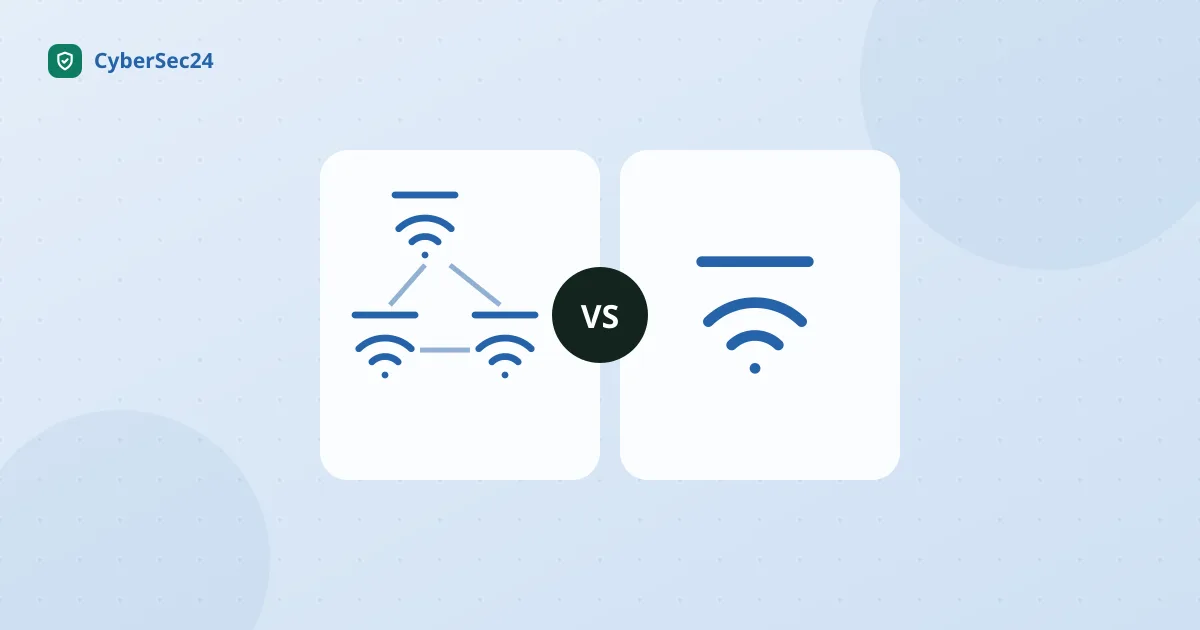
Mesh WiFi is worth it when one router can’t reach every room: bigger homes, several floors, or walls that soak up signal. In a small apartment or a home under about 1,800 square feet, one good router usually covers everything for less money. Mesh gives you coverage and a single network name across the house; it costs more, adds boxes, and is no faster than a good router when you sit next to it.
That’s the short version. The marketing has convinced a lot of people that mesh is simply “the modern way,” and that’s how a family in a 1,200-square-foot apartment ends up buying three nodes when one well-placed router would have covered every corner. Below are the pros and cons, the apartment case, and the setups we’d pick for each kind of home.
The 30-second answer
- Under roughly 1,800 sq ft, one or two floors, standard walls: a single good router. Save your money.
- 1,800–3,000 sq ft, or two-plus floors, or the router is stuck in a corner: a two-pack mesh kit.
- Over 3,000 sq ft, brick/concrete/plaster walls, detached garage or backyard office: a three-pack mesh kit.
Everything below is the reasoning, the exceptions, and the specific models we’d buy.
What mesh actually is (and isn’t)
A mesh system is two or more units that broadcast one seamless WiFi network. Your phone hops between nodes automatically as you walk around the house. That’s the whole trick.
What mesh is not: faster. A mesh node in your living room isn’t quicker than a good single router in your living room. Often it’s slower, because your data may take an extra wireless hop back to the main unit. Mesh trades a bit of peak speed for a lot of coverage. If your problem is “WiFi is slow everywhere, even next to the router,” mesh won’t fix it. If your problem is “WiFi is great in the office and useless in the back bedroom,” mesh is built for exactly that.
Mesh WiFi pros and cons at a glance
| Mesh WiFi | Single router | |
|---|---|---|
| Coverage in a large or multi-floor home | Pro: strong signal in far rooms | Fades with distance and walls |
| Speed right next to the main unit | Same or slightly lower | Pro: full speed, no extra hops |
| Price | Con: you pay for two or three units instead of one | Pro: one box, lower cost |
| Setup | Pro: phone app guides node placement | App or web panel; one box to place |
| One network name everywhere | Pro: devices roam between nodes on their own | One network, but weak at the edges |
| Clutter and power | Con: two or three boxes, each needing an outlet | One box |
| Advanced settings (VPN, VLANs, port rules) | Con: often limited, some behind subscriptions | Pro: routers like the Flint 2 expose far more |
| Firmware updates | Pro: major mesh brands update automatically | Varies; cheap or old routers often stop getting patches |
The pattern: mesh wins on reach and convenience, a single router wins on price, control and raw speed in a compact space. Which column matters depends on your floor plan more than on anything printed on the box.
Mesh WiFi in a small apartment: pros and cons
Apartments are where people most often overbuy. Here is how the trade-offs play out in a small space.
The pros of mesh in an apartment
- Long, narrow layouts. In a railroad-style unit where the internet jack is by the front door and the bedroom is at the far end, a second node halfway down the hall can fix a dead back room.
- Concrete and brick interior walls. Older buildings and high-rises can have walls that cut WiFi hard even over short distances.
- You can’t run cable. Renters usually can’t drill for Ethernet or move the ISP jack, so a wireless node is the cleanest way to carry signal to the far room.
The cons of mesh in an apartment
- You’re paying for coverage you don’t need. A studio or one-bedroom is usually within one or two walls of a single router, which handles it fine.
- Nodes too close together interfere. Two units in a 700 sq ft space can cause more roaming hiccups than they solve.
- Mesh doesn’t fix neighbor congestion. Dozens of neighboring networks crowd the 2.4 GHz and 5 GHz channels. More nodes don’t clear that up; a router with the 6 GHz band (WiFi 6E or 7) does, because few neighbors are on it yet and it barely passes through walls into their units.
What we’d do in an apartment: put one good router as close to the middle of the unit as the cable allows, up off the floor and out of cabinets. If one room is still dead, add a single mesh unit or buy a two-pack, never a three-pack. If crowded airwaves are the problem (fine signal bars, poor speeds in the evening), a WiFi 6E or WiFi 7 router helps more than extra nodes.
You don’t need mesh if…
We’d rather talk you out of a purchase than into one, so here’s the honest list:
- Your home is under ~1,800 sq ft on one or two floors. A single modern router covers this comfortably.
- Your dead zone is one room away from a better router location. Moving the router up off the floor, out of the metal-doored cabinet, closer to the middle of the house is free and fixes more “dead zones” than people expect.
- Your WiFi is slow but your coverage is fine. That’s an internet-plan problem or an old-router problem, not a coverage problem. One new router solves it.
- You can run one Ethernet cable. A single router plus one wired access point at the far end of the house beats most wireless mesh kits and costs less.
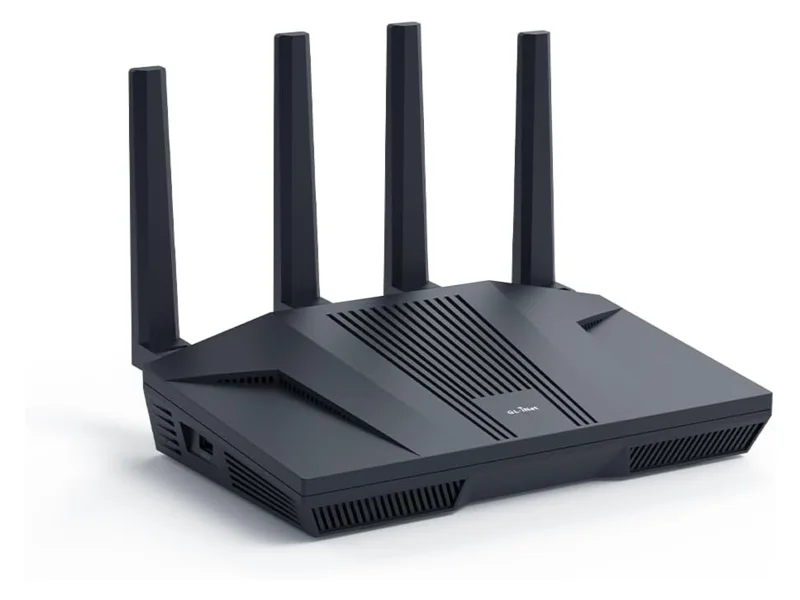
If any of those describe you, a single router like the GL.iNet Flint 2, a WiFi 6 workhorse that punches far above its price and doubles as an excellent VPN router, will likely make you happier than a mesh kit, for less money.
You do need mesh if…
- Dead zones survive after you’ve moved the router somewhere sensible. Physics wins; add nodes.
- Your house is long, tall, or oddly shaped. A ranch home stretched over 2,500 sq ft, or three narrow floors, defeats any single transmitter.
- Your walls eat WiFi. Brick, stone, concrete block, metal lath under old plaster, in-floor radiant heating: one wall like this can do more damage than three drywall ones.
- The internet enters the house in a terrible spot. If the modem hookup is in the far corner of the basement and can’t move, mesh lets you carry a strong signal to where people actually live.
- You need coverage in a garage, shed, or yard. Parking a node near the closest wall is far easier than any single-router contortion.
Is mesh a good choice for beginners?
Yes, and ease of setup is one of the strongest arguments for it. eero, TP-Link Deco and Netgear Orbi kits are set up from a phone app: plug in the main unit next to the modem, follow the prompts, then place the next node where the app says the signal is still good. Firmware updates install themselves. Compared with logging into a router’s web panel, there’s very little to get wrong.
The two beginner traps are covered in the mistakes section below: buying too many nodes, and putting a node in the dead zone instead of between the router and the dead zone. Beginners who want the simplest possible app should also know that eero and Deco keep some security and parental features behind optional subscriptions; the basic WiFi works without one.
WiFi 6 vs. 6E vs. 7, in plain language
Ignore the spec sheets for a second. Here’s what the generations mean in a real house:
- WiFi 6 is the sensible baseline in 2026. It handles busy households with dozens of devices far better than old WiFi 5 gear. Every device you own supports it or works fine alongside it.
- WiFi 6E adds a third radio band (6 GHz) that’s fast and uncongested but short-range; it struggles with walls. Great in apartments with crowded airwaves; only newer phones and laptops can use it.
- WiFi 7, Wi-Fi CERTIFIED 7 in the Wi-Fi Alliance’s official naming, is the current top tier. Its genuinely useful trick is letting devices use multiple bands at once, which makes connections faster and steadier. It matters most if you have a 1 Gbps-plus internet plan, WiFi 7 devices, or you’re buying gear you want to keep for six-plus years. It is a nice-to-have, not a need-to-have.
Our practical advice: don’t pay much extra for 6E in a house with thick walls (the 6 GHz band is the first casualty), and treat WiFi 7 as future-proofing: worth it on a fast internet plan or a long ownership horizon, skippable otherwise.
Mesh kits vs. single routers we’d actually buy
| Setup | Best for | WiFi generation | Typical coverage | Our take |
|---|---|---|---|---|
| GL.iNet Flint 2 (single) | Small homes, apartments, VPN users, tinkerers | WiFi 6 | ~1,500–2,000 sq ft | The value single router; excellent built-in VPN support |
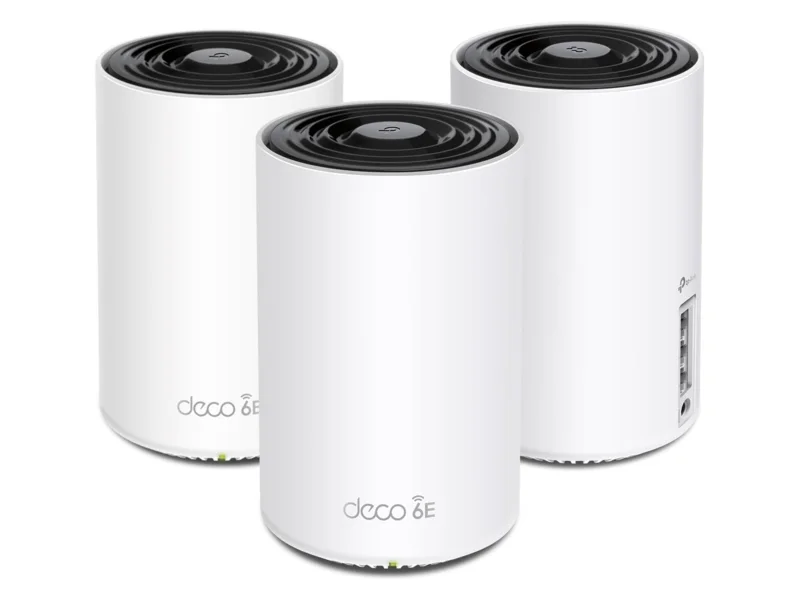
| TP-Link Deco XE75 (mesh, 2–3 pack) | Best mesh value for most families | WiFi 6E | ~7,200 sq ft (3-pack) | The kit we recommend most often; simple app, strong performance per dollar |
| Amazon eero Pro 6E (mesh) | Easiest setup, smart-home households | WiFi 6E | ~2,000 sq ft per node | Very simple app; some features need a subscription |
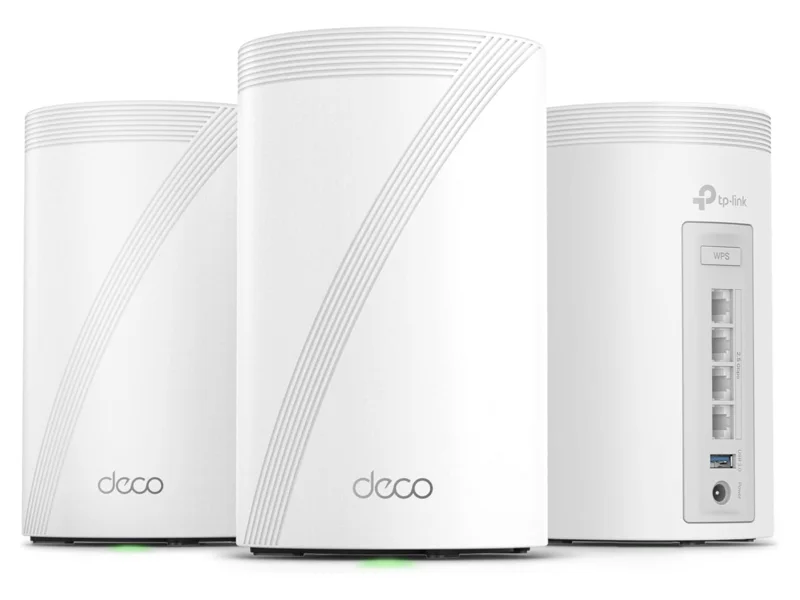
| TP-Link Deco BE63 (mesh) | WiFi 7 on a sane budget | WiFi 7 | ~7,600 sq ft (3-pack) | The affordable way into WiFi 7 mesh |
| Netgear Orbi RBK763S (mesh) | Larger homes wanting a dedicated backhaul band | WiFi 6 | ~7,500 sq ft (3-pack) | Tri-band design keeps far nodes fast; bundled security software |
| Amazon eero Max 7 (mesh) | Gigabit-plus plans, no-compromise households | WiFi 7 | ~2,500 sq ft per node | Superb, but expensive; buy it for speed you actually subscribe to |
Coverage figures are manufacturer ratings under friendly conditions; thick walls can cut them dramatically. Treat them as comparisons between kits, not promises.
Three mistakes that waste mesh money
Buying more nodes than the house needs. Nodes placed too close together interfere with each other. A two-pack covers most homes under 3,000 sq ft; start there and add a node only if a dead zone survives.
Placing nodes in the dead zone. A node needs a good signal from the main unit to be useful. Put it halfway between the router and the problem area, not in the problem area. A node with one bar of backhaul serves one bar of internet.
Paying for speed your plan can’t deliver. A WiFi 7 flagship kit on a 300 Mbps internet plan is a sports car in a school zone. Match the gear to the plan: for most plans under 500 Mbps, the Deco XE75 is all the mesh you need.
A quick word on security (it’s why we care)
Whichever way you go, the security checklist is identical: change the admin password, enable WPA3 (or WPA2 at minimum; see WPA2 vs WPA3), turn on automatic firmware updates, and put smart-home gadgets on a guest network. Mesh systems from major brands are generally good about automatic updates, one of their quiet advantages over aging single routers that haven’t seen a patch in years.
If kids are part of the reason you’re shopping, look at the controls before the coverage: our guide to the best router for parental controls covers which systems (including mesh-capable ones like Gryphon and Deco) keep the useful features free. And if you later want real visibility into what every device on your network is doing, a small firewall box like the Firewalla Purple SE works happily behind either setup; see our Firewalla with eero or Deco walkthrough. More options in our router reviews and firewall reviews.
The bottom line
Decide by floor plan, not by marketing. If your home is under about 1,800 square feet with normal walls, including most apartments, buy one good router (the GL.iNet Flint 2) and pocket the difference. If you have real dead zones, multiple floors, or signal-eating walls, buy the TP-Link Deco XE75 two- or three-pack: it’s the best coverage-per-dollar mesh kit in our research, and for most families it ends the WiFi complaints for good.