Quick answer: the most useful security gift under $50 is a hardware security key, the Yubico Security Key C NFC. Between $100 and $200, give a camera with no monthly fee, the Reolink Argus 4 Pro. For a family present in the $200–400 band, give a mesh WiFi kit that is easy to set up, the Amazon eero Pro 6E. All fourteen picks below are products we have already reviewed, with the score each one has on its review page.
A security gift only works if two things are true. The person can use it without becoming the family IT department, and no surprise bill arrives in January. So for every pick we list what it costs after Christmas and what you should set up before you hand it over.
Three notes before the list:
- Scores are the ones on each review page. They are research-based, not hands-on. The method is on how we pick and score products.
- Prices are shown as bands, taken from the list price on each review. Stores change prices a lot in December, so check the store before you buy.
- Links: we earn a commission if you buy through the store links. It does not change which products are listed.
All fourteen gifts at a glance
| Gift | What it is | Our score | Price band | Cost after Christmas |
|---|---|---|---|---|
| Yubico Security Key C NFC | Hardware login key, USB-C + NFC | 8.9/10 | Under $50 | None |
| Bitwarden Premium | Password manager | 9.0/10 | Under $50 a year | Yearly renewal |
| Bitdefender Total Security | Antivirus for 5 devices | 9.3/10 | Under $50 a year | Renewal costs much more |
| Norton 360 Deluxe | Antivirus suite for 5 devices | 9.0/10 | Under $50 a year | Renewal costs more |
| YubiKey 5C NFC | Hardware login key with extra protocols | 9.3/10 | $50–100 | None |
| 1Password Families | Password manager for 5 people | 9.2/10 | $50–100 a year | Yearly renewal |
| NordVPN | VPN for 10 devices | 9.1/10 | $50–100 a year | Renewal costs more |
| Reolink Doorbell PoE | Wired video doorbell | 8.8/10 | $100–200 | None |
| Reolink Argus 4 Pro | 4K outdoor camera, battery + solar | 9.1/10 | $100–200 | None |
| eufy Doorbell E340 | Dual-camera video doorbell | 8.8/10 | $100–200 | None |
| ASUS RT-BE86U | WiFi 7 router | 9.0/10 | $200–400 | None |
| Ring Alarm 8-Piece Kit | DIY alarm system | 9.0/10 | $200–400 | Optional monitoring plan |
| Amazon eero Pro 6E | Mesh WiFi, 3-pack | 9.0/10 | $200–400 | Optional eero Plus plan |
| TP-Link Deco BE63 | WiFi 7 mesh, 3-pack | 9.2/10 | Over $400 | Optional HomeShield Pro plan |
Under $50: a security key or a year of protection
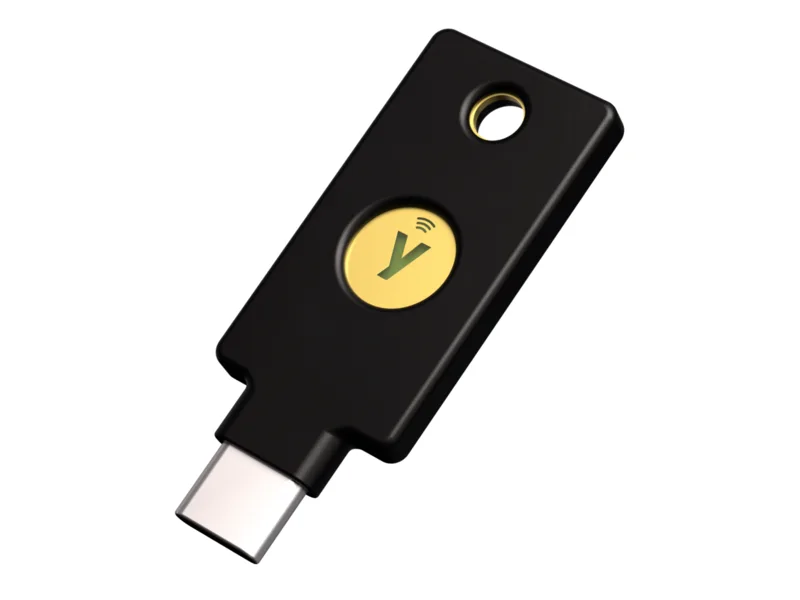
Yubico Security Key C NFC. A small key that plugs into USB-C or taps against a phone. Once it is added to an account, a fake login page cannot get in, because the key only answers the real site. It has full passkey support, no battery and no subscription. It leaves out the extra protocols of the YubiKey 5 series (OTP, PIV, OpenPGP), which most people never use. Our review’s one warning applies to every hardware key: the person needs a second key as a backup. If the budget allows, wrap two.
Bitwarden Premium. An open-source, independently audited password manager, and the cheapest premium tier of any major one. It includes an authenticator for login codes and emergency access. The apps are less polished than 1Password’s, so it suits someone who is comfortable with software. There is a free tier, which lets you try it with the person before you pay.
Bitdefender Total Security and Norton 360 Deluxe. Both cover five devices and both are sold as a key card, which is easy to wrap. Bitdefender has the higher score and is light on system performance; its bundled VPN is limited to 200 MB a day. Norton includes an unlimited VPN, 50 GB of cloud backup for a PC and scam protection, and our review calls it the better pick for beginners. Both reviews flag the same downside: the renewal price is much higher than the first-year price. Decide now who pays for year two.
$50 to $100: the gifts that cover a whole family
YubiKey 5C NFC. The same idea as the Yubico key above, plus OTP, PIV and OpenPGP support for people who use those at work. For basic account protection the cheaper key does the job, and our review says so. Give this one to the person who looks after work accounts or already uses a password manager with hardware key support.
1Password Families. One plan covers five family members, with shared vaults and account recovery, so the streaming logins can be shared while banking stays private. This is the gift version of “I’ll sort out your passwords”: you pay for the plan, invite the family and help each person save their first few logins. There is no free tier, and it renews every year.
NordVPN. Useful for someone who travels or works from cafes and hotels. One account covers ten devices. Our review notes that the best price needs a two-year commitment and that renewals cost more, so read the term before you buy. A VPN does nothing against phishing or weak passwords; if the person has neither a password manager nor two-factor login, give one of those first.
$100 to $200: cameras and doorbells with no monthly fee
All three picks here record locally and need no subscription for their main features.
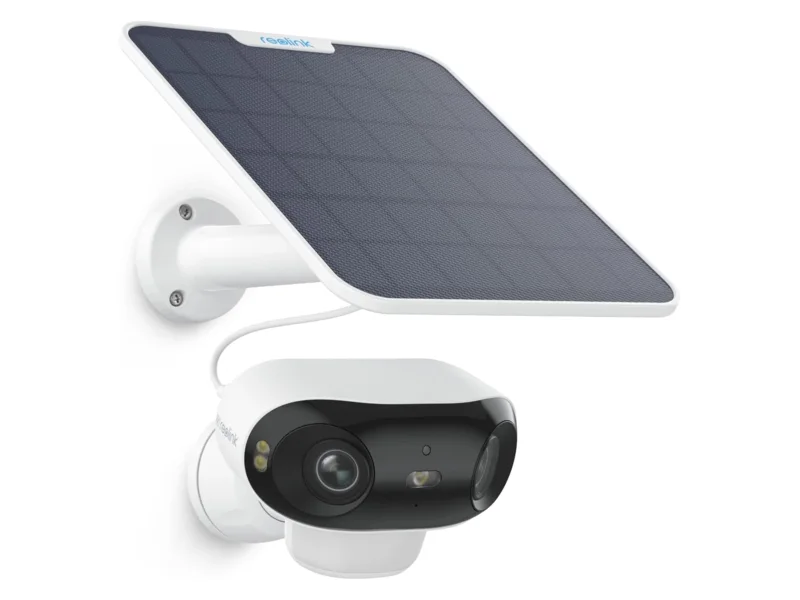
Reolink Argus 4 Pro. A 4K outdoor camera with a 180° dual-lens view, color night vision and a solar panel. Detection runs on the camera, so there is no plan to pay for. It is a battery camera: it needs sun or an occasional charge, and it does not record around the clock without a hub.
eufy Doorbell E340. Two cameras, one facing forward and one pointing down at the doorstep for packages. It has 8 GB of local storage and runs on battery or existing doorbell wiring, which makes it the easier install of the two doorbells.
Reolink Doorbell PoE. Records 2K video to the included 256 GB card and comes with a chime. It is powered through a network cable, so there are no batteries to charge, but someone has to run that cable to the door. Give it to a person who will enjoy the install, or do the install yourself.
A camera points at other people too. Ask before you buy one for someone else’s house.
$200 to $400: a router, a mesh kit or an alarm
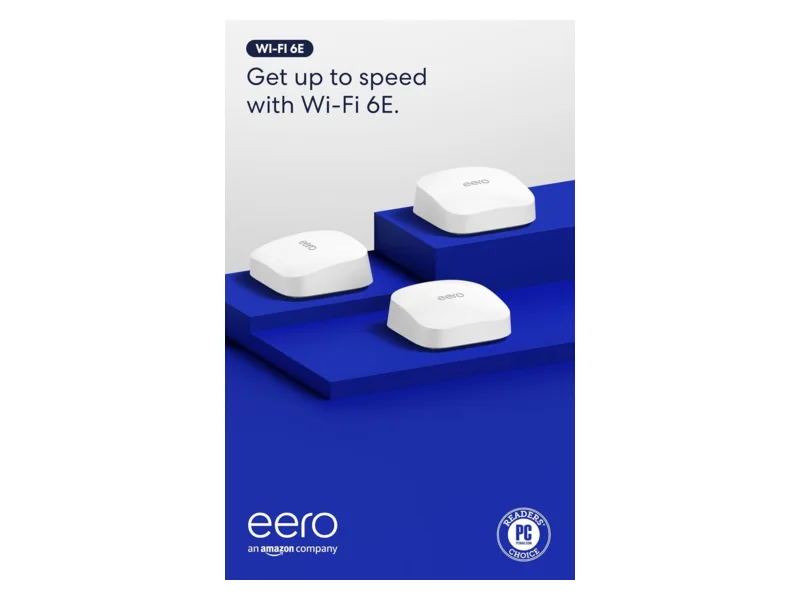
Amazon eero Pro 6E. A three-pack mesh kit that our review rates the easiest to set up. It covers about 6,000 sq ft, supports plans up to 2.5 Gbps and doubles as a Zigbee and Thread smart-home hub. It is a 2022 model, now discounted because the eero 7 exists. The advanced security and parental features need an eero Plus subscription.
ASUS RT-BE86U. A single WiFi 7 router with security (AiProtection Pro) and parental controls included for the router’s lifetime, with no subscription. Its settings pages can overwhelm a first-time user, so plan to set it up yourself. For a bigger house, see our mesh WiFi guide for large homes.
Ring Alarm 8-Piece Kit. A base station, keypad, four contact sensors, a motion sensor and a range extender. It is a do-it-yourself install with no contract, and it works with Alexa. Self-monitoring is free; professional monitoring and cloud video are paid plans. It runs on Amazon’s cloud, which our review flags as a privacy trade-off.
Over $400: the big family present
TP-Link Deco BE63. A tri-band WiFi 7 mesh kit with four 2.5 GbE ports on every unit and coverage of about 7,600 sq ft. It is the highest-scored mesh system in our router reviews. The HomeShield Pro security features are a subscription.
If the person asked for a router by name, or you are choosing between brands, read the FCC router rules explainer first. It covers which brands are affected by the 2026 rules and what that means for updates.
Gifts that cost nothing
Some of the most useful security presents are an hour of your time:
- Set up a family safe word at the Christmas table, while everyone is in one room.
- Help a relative freeze their credit at all three bureaus. It is free and takes about 15 minutes.
- Turn on the carrier lock that protects a phone number from SIM swaps.
- If a new TV is under the tree, turn off its viewing tracking before the first film.
Buying for an older relative? Our gift guide for parents and grandparents picks the products that need the least upkeep.
Before you wrap it
- Check the connector. USB-C key for a recent phone or laptop; the YubiKey 5 NFC is the USB-A version for older computers.
- Check the renewal. For any subscription, note the renewal date and price, and decide who pays.
- Check the install. A wired doorbell or a new router is a gift of your afternoon as well.
- Check the price on the day. Our bands come from list prices; the store’s price may be lower or higher.
- Keep the receipt. Security gear that stays in the box protects nobody.